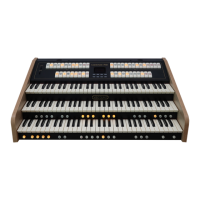
TIPS FOR USE TWO EXPRESSION PEDALS TO CONTROL EXPRESSION OF ORGAN DIVISIONS
If you wish to use two expression pedals to control the expression of two or three organ division (and therefore
not the Crescendo), follow one of these procedures:
• Using a Viscount 27N MIDI, 30N MIDI or 32N MIDI pedalboard,
1. Connect the cables with jack connector coming from the expression pedals of the pedalboard to the
pedalboard’s [EXPR. 1] and [EXPR. 2] connectors.
2. Display the MAIN MENU SET-UP CONTROLS video page.
3. Press the [ ] button until you display the CRESCENDO PEDAL video page.
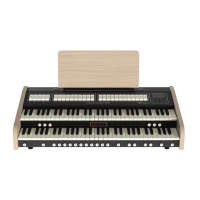
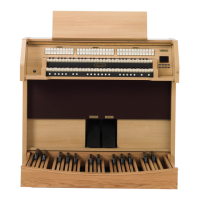
4. In the Cantorum Trio Plus select the I Shoe or M.II/PD Shoe value to control the expression of MAN.I or
MAN.II and PEDAL divisions respectively with one of the two expression pedals of the pedalboard (which
one will be selected at point 6).
In the Cantorum Duo Plus and Cantorum Uno Plus select M.I/PD Shoe value to control the expression of
MAN.I and PEDAL divisions with one of the two expression pedals of the pedalboard (which one will be
selected at point 6).
5. Exit from this video page and display the MAIN MENU UTILITY (2nd page) SHOES / PEDALBOARD
(2nd page) video page.
6. In the CRESCENDO and EXPRESSION fields select the CH.1 or CH.2 value. See the table above to
select the correct pedal position, based on your needs.
For example, selecting CH.1 for CRESCENDO and CH.2 for EXPRESSION, the expression pedal of the
pedalboard connected to the [EXPR.1] connector controls the expression of MAN.III (in the Cantorum
Trio Plus) or MAN.II (in the Cantorum Duo – Uno Plus); the expression pedal of the pedalboard connected
to the [EXPR.2] connector controls the expression of MAN.I or MAN.II and PEDAL (in the Cantorum Trio
Plus) or MAN.I and PEDAL (in the Cantorum Duo – Uno Plus).
• Using two generic volume-type foot pedals,
1. Connect the cables coming from the volume-type foot pedals to the Cantorum Trio – Duo – Uno Plus
[CRESC.] and [EXPR.] connectors.
2. Display the MAIN MENU SET-UP CONTROLS video page.
3. Press the [ ] button until you display the CRESCENDO PEDAL video page.
4. In the Cantorum Trio Plus select the I Shoe or M.II/PD Shoe value to control the expression of MAN.I or
MAN.II and PEDAL divisions with the pedal connected to the [CRESC.] connector of the organ.
In the Cantorum Duo Plus and Cantorum Uno Plus select M.I/PD Shoe value to control the expression of
MAN.I and PEDAL divisions with the pedal connected to the [CRESC.] connector of the organ.
5. Exit from this video page and display the MAIN MENU UTILITY (2nd page) SHOES / PEDALBOARD
(2nd page) video page.
6. In the CRESCENDO and EXPRESSION fields select the RTS or TRS value. Please note that pedals on
the market are of these two types, usually indicated in the product specifications. RTS are pedals like and
similar to the Yamaha FC-7. TRS are pedals like and similar to the Viscount Volume Pedal or Fatar VP/25.
After doing this the pedal connected to the Cantorum Trio – Duo – Uno Plus [EXPR.] connector controls
the expression of MAN.III (in the Cantorum Trio Plus) or MAN.II (in the Cantorum Duo – Uno Plus); the
pedal connected to the Cantorum Trio – Duo – Uno Plus [CRESC.] connector controls the expression of
MAN.I or MAN.II and PEDAL (in the Cantorum Trio Plus) or MAN.I and PEDAL (in the Cantorum Duo –
Uno Plus).


 To Previous Page
 Loading...