28
4
Control your TV with the SmartCast Mobile
™
App
Download the VIZIO SmartCast Mobile app and turn your smartphone into a remote
to control and configure your TV.
With SmartCast Mobile, you can:
• Power on/off devices, play/pause content, and modify advanced settings, all
from the palm of your hand.
• Easily enter text onto your TV/display from your mobile device using a
full keyboard.
• Browse and discover movies, TV shows, music, live streams, and more, across
multiple apps at once.
• Access a quick look at show ratings, synopsis, cast, crew, clips, and other details.
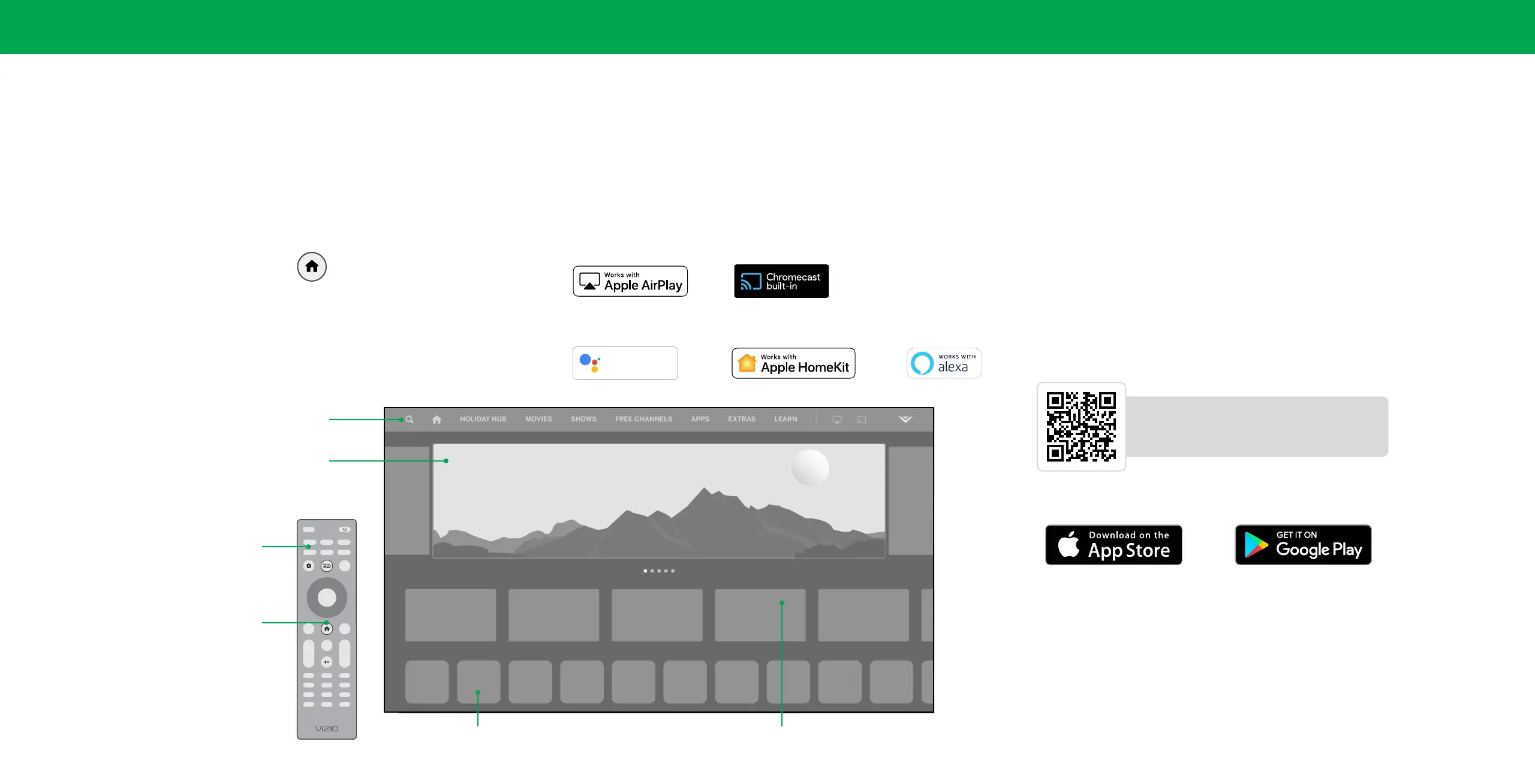
SmartCast Home
™
What is SmartCast Home?
SmartCast Home lets you discover, stream, and control your content like never
before! Access top apps, like Netflix, Disney+, and Hulu, by using the remote to easily
browse and launch content directly from the home screen. SmartCast Home makes
finding something to watch easy and fun.
How to Launch SmartCast Home
To begin streaming with SmartCast Home:
• Press the SmartCast Home button on your remote.
—or—
• Select SmartCast from the list of inputs.
What you can do with SmartCast Home
• Stream high quality entertainment.
• Launch top tier apps directly from the home screen.
• Access free channels to watch without a subscription through WatchFree+.
• Rearrange apps on your home screen just the way you like it.
• Mirror your laptop or mobile device onto your TV through Apple Airplay or
Chromecast built-in
™
.
• Works with Google Assistant, Siri, and Alexa-enabled devices for hands-free voice
control.
New Episodes Added
Marquee Content
Launch content with one click
Search
Find TV shows, movies and more
Discover
New or popular content across multiple apps
Streaming Apps on your TV
INPUT
INFO
BACK CC
OK
VOL
PIC
CH
1 2 3
4 5 6
7 8
0
9
—
+
_
+
_
PREV
Quick Access to Popular Apps
SmartCast Home Button
Hey Google
works with
Visit www.vizio.com/smartcastapp for minimium requirements.
Scan to download.
Scan with your phone camera or QR reader.
vizio.com/smartcastapp


 To Next Page