10
10. CLEANING
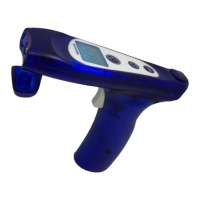
CLEANING THE WAVEGUIDE: the thermometer waveguide (g. 1) is very delicate.
Therefore, when the thermometer is not being used, we recommend that you always
keep the cap on. However, if you need to remove dust or dirt from the waveguide or
sensor at its base, use a cotton swab that has been slightly dampened with alcohol.
Remove all dirt and make certain that nothing accumulates at the bottom of the wave
-
guide where the sensor is located. Do not use any other objects or liquids as the sur-
face of the sensor could easily be scratched or damaged. Never let any excess liquid
penetrate into the waveguide and sensor.
CLEANING THE THERMOMETER BODY: use a soft cloth dampened with soap and
water and possibly re-wipe with a sodium hypochlorite disinfectant.
DO NOT USE the thermometer for at least 30 minutes after cleaning.
11. MEANING OF DISPLAY MESSAGES
Messages about batteries
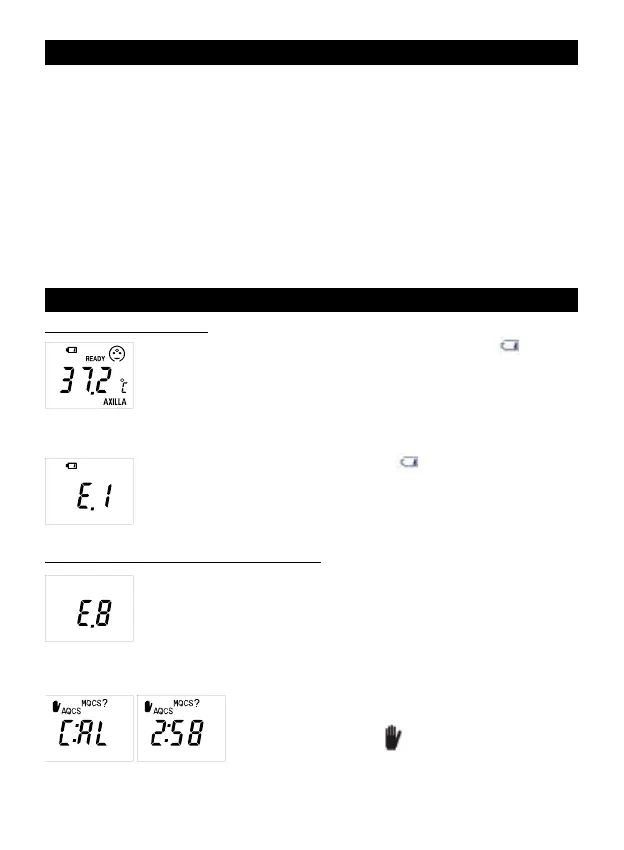
DESCRIPTION: during normal operation, the symbol
appears
on the display.
PROBLEM: the batteries are running low but it is still possible to take
several readings.
SOLUTION: obtain new batteries for changing them when the signal
“E.1” appears.
DESCRIPTION: “E.1” and the symbol
appear on the display, or
the unit does not turn on at all.
PROBLEM: the batteries are dead.
SOLUTION: remove the batteries immediately and replace them
when necessary (see par. #9).
Messages about thermometer’s stabilization
DESCRIPTION: the projection/display shows “E.8”.
PROBLEM: the thermometer was moved before the light started
ashing, or the area is subject to strong electromagnetic elds.
SOLUTION: wait until the lights ash before moving the thermome
-
ter; make certain that there are no mobile or cordless telephones in
the vicinity.
DESCRIPTION: the display shows a countdown (in
minutes and seconds) and/or C:AL, a pictogram of a
hand inviting to stop
, and the messages AQCS
and MQCS?
PROBLEM: the thermometer has not stabilized. The
symbols prompt you to choose between:


 To Next Page