7
4.4 Other readings (non-medical use)
VisioFocus can also be used to read the tem
-
perature of objects, food and liquids in the 1,0-
80,0°C (33.8-176.0°F) temperature range.
For example, you can take the temperature of:
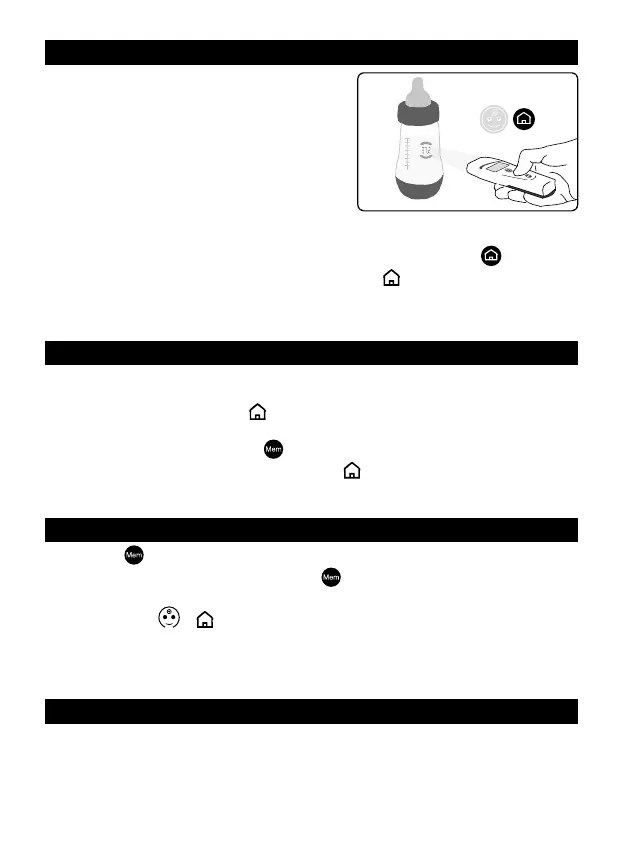
1 a baby’s feed bottle (g. 8),
2. food,
3. bathwater.
Mix liquids well before taking the reading and,
with hot liquids or foods, take the reading quickly
to prevent condensation from forming on the lens and wait 30 min. before taking
another reading.
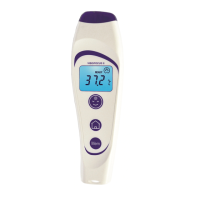
Proceed as you would for a forehead reading but press the “home”
button; the
display will light up in green and will show the “home”
symbol.
NOTE: this intended use is not subject to assessment by the Notied Body.
5. ROOM TEMPERATURE
When the thermometer is in stand-by mode (“Peak Performance” - see par. #4.1 and
#7), the room temperature remains displayed automatically for 4 hours after the last
reading is taken and the symbol
ashes.
To display the room temperature on the backlit display, while the thermometer is in
stand-by mode, press the “Mem”
button once: the display illuminates in orange
showing the room temperature and the symbol
ashing.
6. MEMORY FUNCTION
The «Mem”
button lets you call up the last 9 temperature readings.
To activate this function, press the “Mem”
button twice: the display will light up
in violet and the value of the last reading will be shown accompanied by the number
1 and the symbol
or depending on which button was used for that reading.
Pressing the button again calls up the second to last, third to last reading and so on,
accompanied by the numbers 2, 3, etc.
7. HOW TO CHANGE the SETTINGS
Depending on where it is to be sold, your thermometer leaves the factory as follows:
• preset to Celsius (°C) or Fahrenheit (°F)
• referred to oral (“ORAL”) or rectal (“RECTAL”) or axillary (“AXILLA”) or internal tem
-
perature readings (“CorE”) or only internal temperature readings (no symbol shown);
Fig. 8


 To Next Page