8
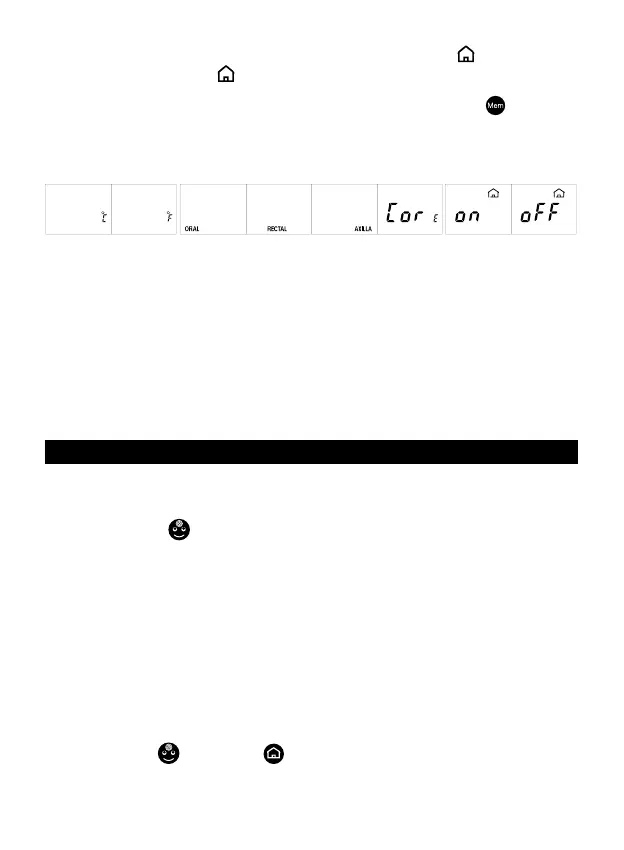
• with display o when in stand-by mode (“Energy Saving”, o ) or always on
(“Peak Performance” - on
).
If necessary, these settings can be modied as follows:
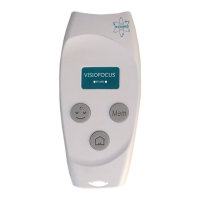
1. while the thermometer is o or in stand-by mode, press the “Mem”
button and
hold it down; after about 8 seconds the visualization on the display changes showing
in rotation the following combinations (the display is backlit in green in correspon
-
dence of the active setting; while for non active settings the display is always backlit
in purple):
2. When the new desired setting appears, release the button. The purple backlight will
turn green. Only one setting can be modied at a time.
Note:
- if the thermometer was produced with the sole internal temperature setting, the
ORAL, RECTAL, AXILLA and CORE settings would not be available for changing.
- The measurement of the body temperature must be taken always at the centre of the
forehead (par. #4.1) or at the eyelid (par. #4.2), no matter what the current setting is: in
fact, the axillary, oral, rectal or core settings provide a forehead temperature value that
is a valid approximation of the axillary, oral or rectal/internal temperature respectively
(see par. #3).
8. ROOM TEMPERATURE CALIBRATION
If the thermometer is handled at length or if there is a signicant temperature dierence
with respect to the room temperature, a countdown will appear on the display indica
-
ting that you should wait until automatic temperature calibration has been completed.
Pressing the “face”
button, the projection shows “CAL”.
At this point you have 2 options:
1. Automatic Quick Calibration System (AQCS): without touching the thermome
-
ter, wait until the countdown has run its course and automatic quick calibration is com-
pleted. The countdown will continue updating as long as dierences in temperature
are detected (for example, because the thermometer has been continuously handled).
At the end of the countdown, the thermometer can take suciently accurate readings.
When the thermometer is in stand-by mode, “AQCS” appears on the display indicating
that automatic quick calibration has been performed.
2. Manual Quick Calibration System (MQCS): the alternative is to promptly correct
the thermometer temperature, adapting it to the real temperature of the room where
the reading has to be taken.
Proceed as follows:
• press the “face”
and “home” buttons (g. 9) simultaneously: the symbol CAL
will appear, and the display will light up in blue. Open the cap.
• within 10 seconds focus the thermometer on an internal wall (not the inside of an ex
-


 To Next Page