8
4.4 Readings of skin surface temperature
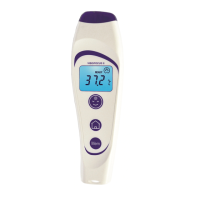
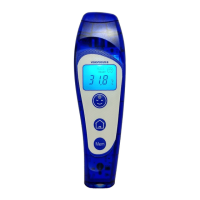
In “DOCT” mode, using the “home”
button, VisioFocus PRO can also be used to:
1) monitor the temperature of inammations, ulcers, wounds (e.g. on diabetics);
2) monitor the temperature of internal organs during surgery ensuring maximum hygie
-
ne thanks to the total absence of contact;
3) detect the temperature of intravenous uid bags.
These measurements are not entirely accurate and must be considered as relative
rather than absolute values. If taken on the skin, they can show the dierence between
two close or symmetrical areas.
Proceed as you would for a forehead reading but press the “home”
button; the
display will light up in green and show the “home” symbol
.
NOTE: skin surface temperature is NOT body temperature. To measure body tempe
-
rature, proceed as described in par. 4.1.
4.4 Other readings (non-medical use)
In “DOCT” mode, VisioFocus PRO can also be used to read the temperature of ob
-
jects, food and liquids in the 1,0-80,0°C (33.8-176.0°F) temperature range.
Proceed as you would for a forehead reading but press the “home”
button; the
display will light up in green and will show the “home” symbol
.
NOTE: this intended use is not subject to assessment by the Notied Body.
5. ROOM TEMPERATURE
When the thermometer is in stand-by, the room temperature and the ashing symbol
appear and remain displayed automatically for 45 minutes (DOCT mode) or 30
minutes (NURS mode) after the last reading is taken.
To display the room temperature on the backlit display, while the thermometer is in
stand-by mode, press the “Mem” button
once: the display illuminates in orange
showing the room temperature and the symbol
ashing.
6. MEMORY FUNCTION
The “Mem”
button (in DOCT mode or in NURS mode if it is enabled) lets you call
up the last 9 temperature readings.
To activate this function, press the “Mem” button
twice: the display will light up
in violet and the value of the last reading will be shown accompanied by the number
1 and the symbol
or depending on which button was used for that reading.
Pressing the button again calls up the second to last, third to last reading and so on,
accompanied by the numbers 2, 3, etc.


 To Next Page