EasyManua.ls Logo

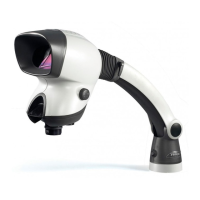
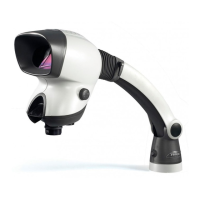
Vision Engineering MANTIS PIXO - User Manual

Default Icon
42 pages
Print Icon
To Next Page IconTo Next Page
Loading...
www.visioneng.us
USER GUIDE














Questions and Answers

  • W
    Wendy WatersAug 11, 2025
    Why does my Vision Engineering MANTIS PIXO image look blurred?
    • M
      msalinasAug 11, 2025
      If your Vision Engineering Microscope image appears blurred, there are a couple of things to check. First, the lens may be dirty, so gently clean it with a soft, dry cloth. Additionally, make sure the objective lens is properly housed in the head.
  • C
    Colleen WilliamsAug 19, 2025
    What to do if I can only see the Vision Engineering MANTIS PIXO Microscope image in one eye?
    • R
      Robert WhiteSep 12, 2025
      If you're only seeing the image in one eye with your Vision Engineering Microscope, adjust your head position to look directly into the unit's viewing area. Also, use the IPD adjuster on the side to optimize the eye spacing for your individual needs.
  • W
    Willie HowellAug 27, 2025
    Why can reflections be seen within the Vision Engineering MANTIS PIXO head?
    • B
      Beth BatesAug 27, 2025
      If you're seeing reflections within the head of your Vision Engineering Microscope, try repositioning the system to minimize strong light sources from behind you. Additionally, attach the glare hood accessory, which comes standard with PIXO & ERGO heads, and is optional for IOTA.
  • D
    Deborah LewisSep 3, 2025
    How to synchronize lighting on Vision Engineering MANTIS PIXO Microscope?
    • J
      Jeffrey MccallSep 3, 2025
      If only one side of the lighting is working on your Vision Engineering Microscope (PIXO or ERGO head), press in either dimmer control to synchronize the left and right lighting. This will allow them to be controlled together.

Vision Engineering MANTIS PIXO Specifications

General IconGeneral
Working DistanceUp to 100 mm
Camera TypeDigital
OutputHDMI, USB
Camera Resolution1920 x 1080
LightingLED

Related product manuals