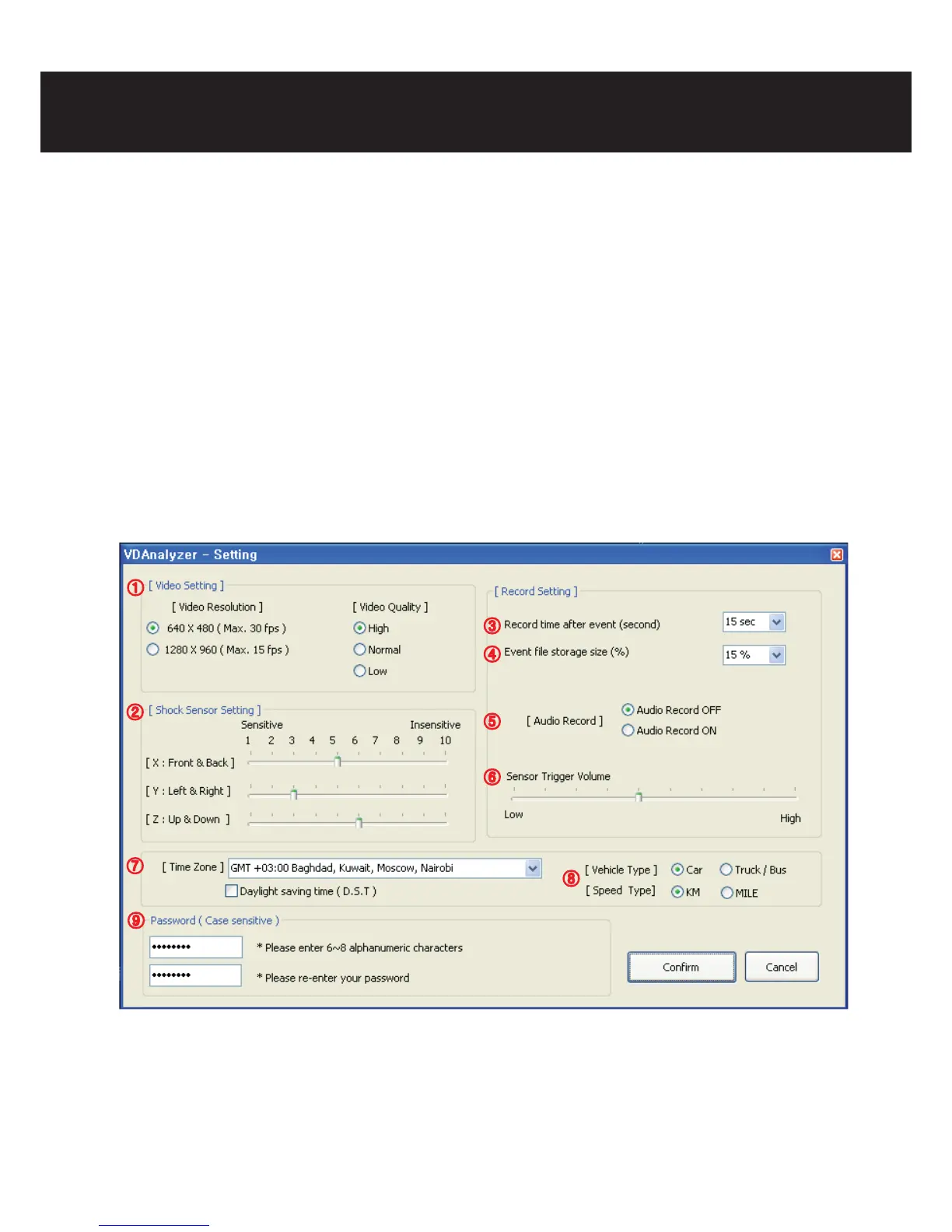
③ Set the time length stored after impact.
④ Set the size of event les (and thus the size of normal le’s) partition to be stored.
⑤ Set to use audio recording or not (the default value is o)
⑥ Set the volume of the alert tone.
⑦ Set the time zone and Daylight Saving Time of the user.
⑧ Set the vehicle and speed type of the vehicle.
⑨ Set the password. Repeated input for verication is required (6~8 of numbers and
alphabet, non case-sensitive)
8. PC analysis program usage
①
②
③
④
⑤
⑥
⑦
⑧
⑨



 To Next Page