SCAN FROM THE ONETOUCH PANEL 47
SCAN FROM THE ONETOUCH PANEL
You can also scan from the computer screen using the OneTouch panel.
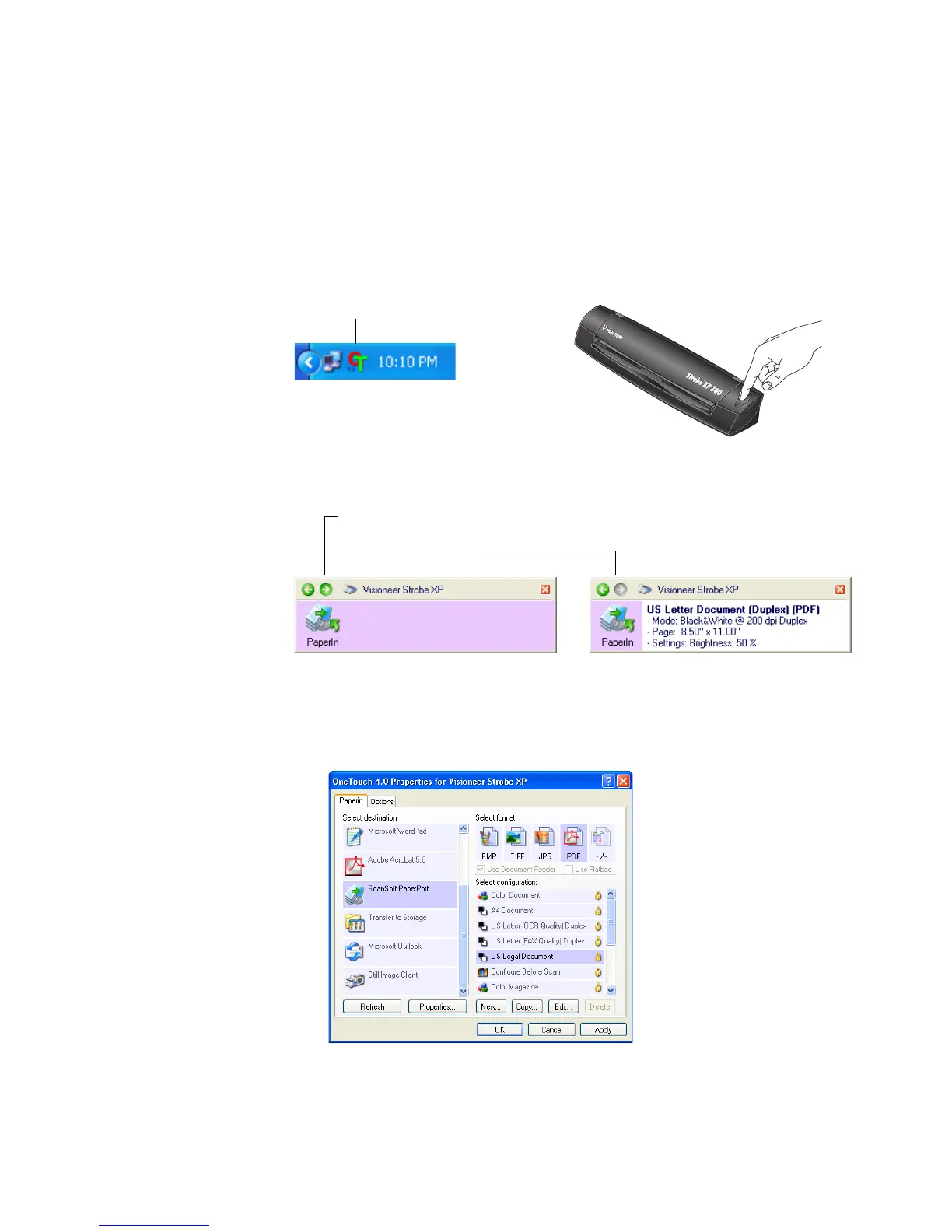
1. Press the button on the top of the scanner, or click the OneTouch
icon.
Use this window to select a new destination application, file format,
and scan configuration. See “Selecting New OneTouch Scan
Settings” on page 54 to modify the settings.
The OneTouch Icon
If you click the OneTouch icon,
the PaperIn panel appears.
Click the arrow, or right-click
the PaperIn icon to see the
current settings panel.
If you press the scanner button,
the current settings and the
OneTouch Properties window
appears right away.










 To Next Page