EN-12
7. VEGGIES
There are 2 options (Frozen Vegetable s , Fresh Vegetables) under the Veggies.
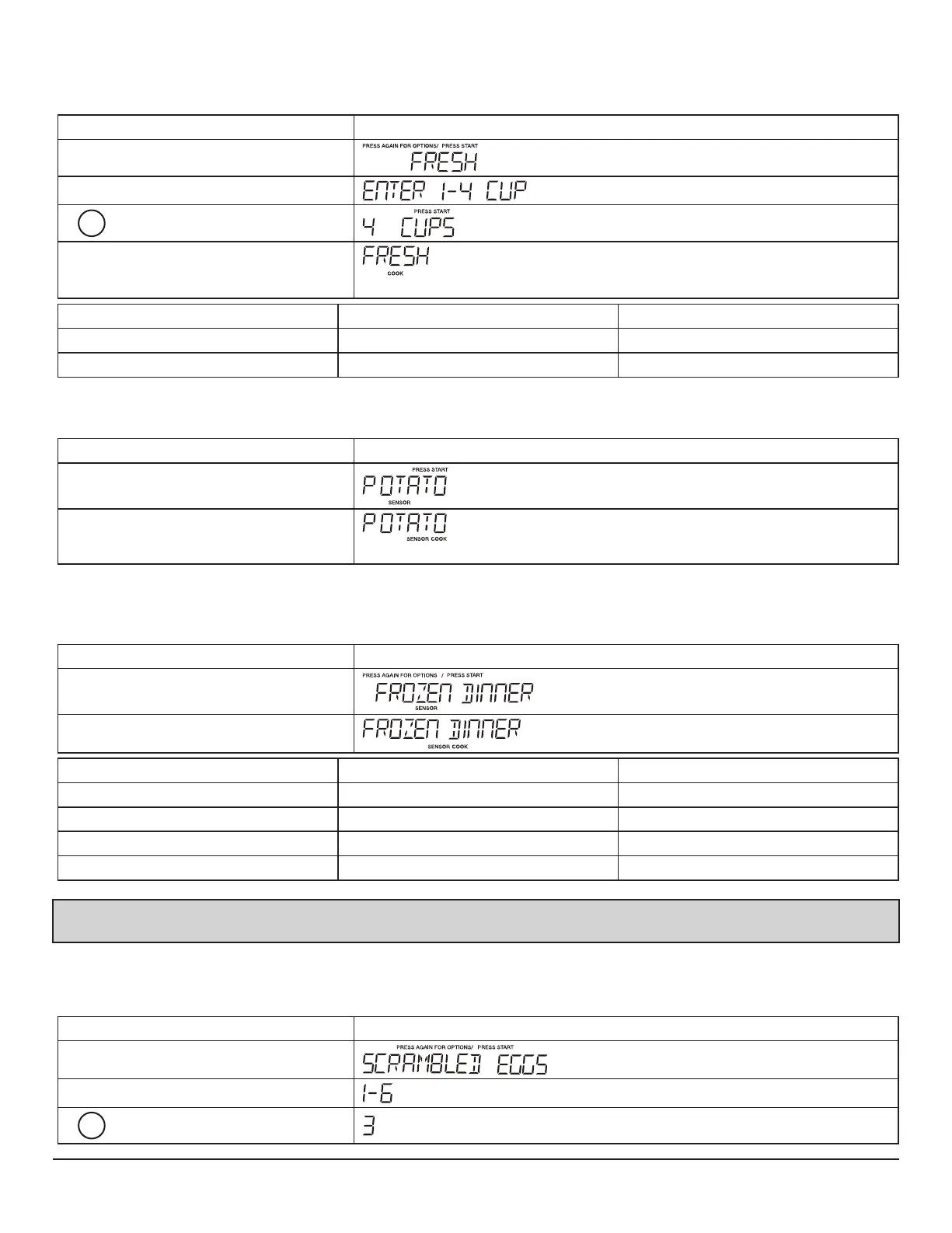
• Suppose you want to cook fresh veggies for 4 cups.
Touch: Display Shows:
1.Veggies
2.START Enter/+30Sec
3.
4
4.START Enter/+30Sec
Time counting down
Press veggies pad Food Amount
X1 Fresh Veggies 1-4 Cups
X2 Frozen Veggies 1-4 Cups
8. POTATO
Touch: Display Shows:
1.Potato
2.START Enter/+30Sec
Time counting down
9. SENSOR COOK
There are 4 options (Bacon,Frozen Dinner,Rice, Frozen Breakfast) under the sensor cook.
Touch: Display Shows:
1.Sensor Cook X2
2.START Enter/+30Sec
Press senor cook Food Amount
X1 Bacon 1 - 3 slice(optional)
X2 Frozen Dinner 10 oz. / 20 oz.(range)
X3 Rice 1 - 2 cups(range)
X4 Frozen Breakfast 8 - 12 oz.(range)
Note:During the sensor cooking, when the sensor arrive in the threshold value, the buzzer will sound 3 times,then the remaning cook time
will display.
10. AUTO COOK
There are 3 options (Scrambled Eggs,Hot Cereal, Frozen Pizza)under the auto cook.
Touch: Display Shows:
1.Auto cook
2.START Enter/+30Sec
3.
3


 To Next Page