again.
Position section viewing line at the thinnest place of lens.
4.2.3 Edging by the functions
4.2.3.1 Frame change edging
This job is worked for using existing lens to new frame.
1) Trace new frame
2) Page new traced data
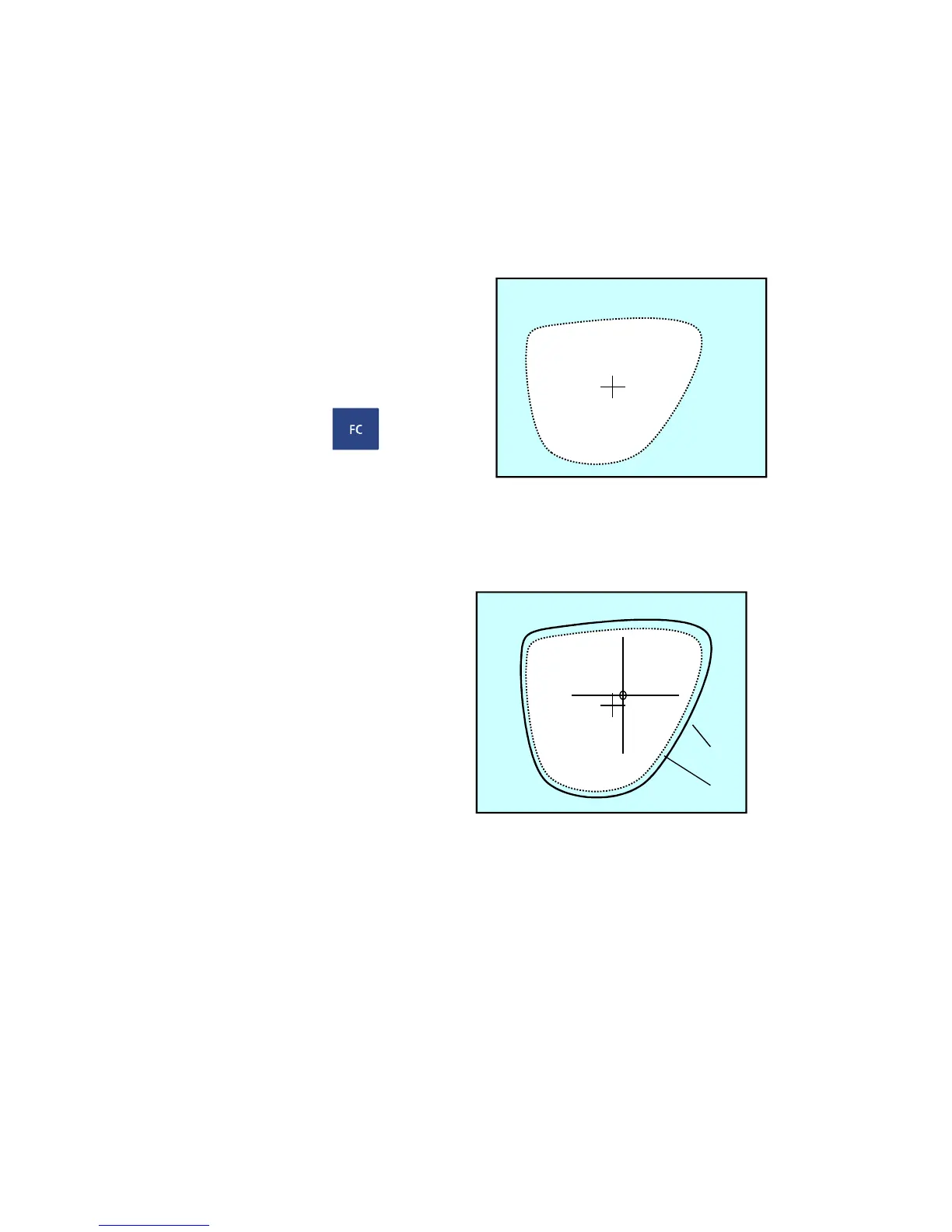
Traced frame turns up in dotted line at the screen.
3) Push frame change mode
4) The lens by suction cup
4-1) Mark optic center and horizontal Fig.19
direction with lensmeter.
4-2) Fix lens to leap cup with blocker
5) Trace lens
Refer to 3.6 dummy lens tracing
Traced lens shape turns up in thick line
at the screen.
6) Check lens size is larger enough than frame
out and regulate data in order that lens
and frame may not be crossed.
Ref.
Regulating data are available in PD,SIZE.
Scale change of whole size,size change of left/right,size change of up/down
are available in SIZE.
7) Take lens off from lens setting part and fix lens to edging unit.
8) Edges lens
Ref.
DATA SET key is not working while frame change mode is going on.
MIN : 70.00
lens
frame


 To Next Page