ENGLISH
7
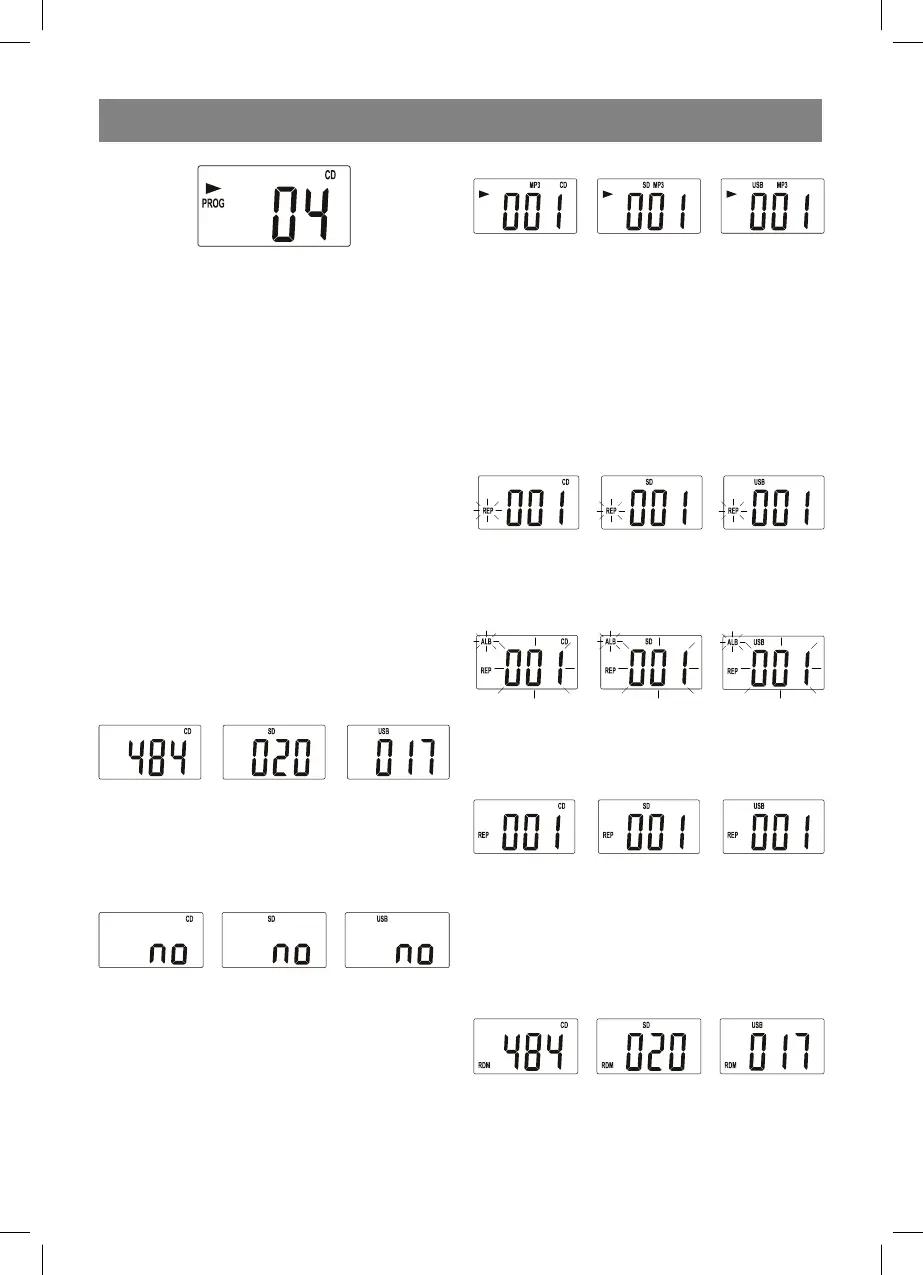
6. To cancel programmed playback press the
STOP button once or open the disc slot lid,
or set the FUNCTION switch to another posi-
tion.
Playback of МР3 files from the disc, USB
drive or SD/MMC card
This unit can playback most of the discs record-
ed in the MP3 format, but there are cases when
the disc is not played back due to the settings of
the software, used while recording of the disc.
(For instance due to absence of the finalization
of the disc.)
1. Switch on the unit. Set the FUNCTION switch
to the CD position.
2. The unit will start reading of the disc auto-
matically.
3. Press the CD/SD/USB button and select the
media type: disc, memory card or USB drive.
4. Insert a МР3 disc in a disc slot, or insert a
USB or a SD card in the corresponding jack.
The reading will start, and then the total
number of tracks will appear on the display.
5. If there is no disc in the disc slot or the disc
is damaged, if a USB is not connected to the
USB jack, or if no card is connected to the
MMC jack, the “no” symbols will appear on
the LCD-display
6. To move to the previous/ next folder, when
the playback is stopped, press the FOLDER
UP or FOLDER DOWN buttons correspond-
ingly.
7. Use the or button to select the desired
track.
8. To playback the selected track press the
PLAY/PAUSE button
9. To pause the playback press the PLAY/
PAUSE button
10. To resume the playback press the PLAY/
PAUSE button again
11. To stop the playback, press the STOP button.
Repeat playback of a track or folder (album)
1. To repeat one track, press the MODE button
once in the CD, USB or SD mode, the current
track will be repeated continuously.
2. To repeat all tracks in the folder, press the
MODE button twice, the selected folder will
be repeated continuously.
3. To repeat all folders, press the MODE button
thrice, all folders will be repeated continu-
ously.
Random playback
1. To playback all tracks on the disc in a random
order, press the MODE button four times in
the stop mode, the “RDM” symbols will ap-
pear on the LCD-display and the playback of
the tracks in the random order will start.
2. To cancel the random playback press the
MODE button again, the “RDM” symbols will
disappear.
3455IM.indd 73455IM.indd 7 18.12.2009 17:43:1618.12.2009 17:43:16


 To Next Page