ENGLISH
6
To resume the playback, press the PLAY/PAUSE
button again
Stop playback
To stop the playback, press the STOP button.
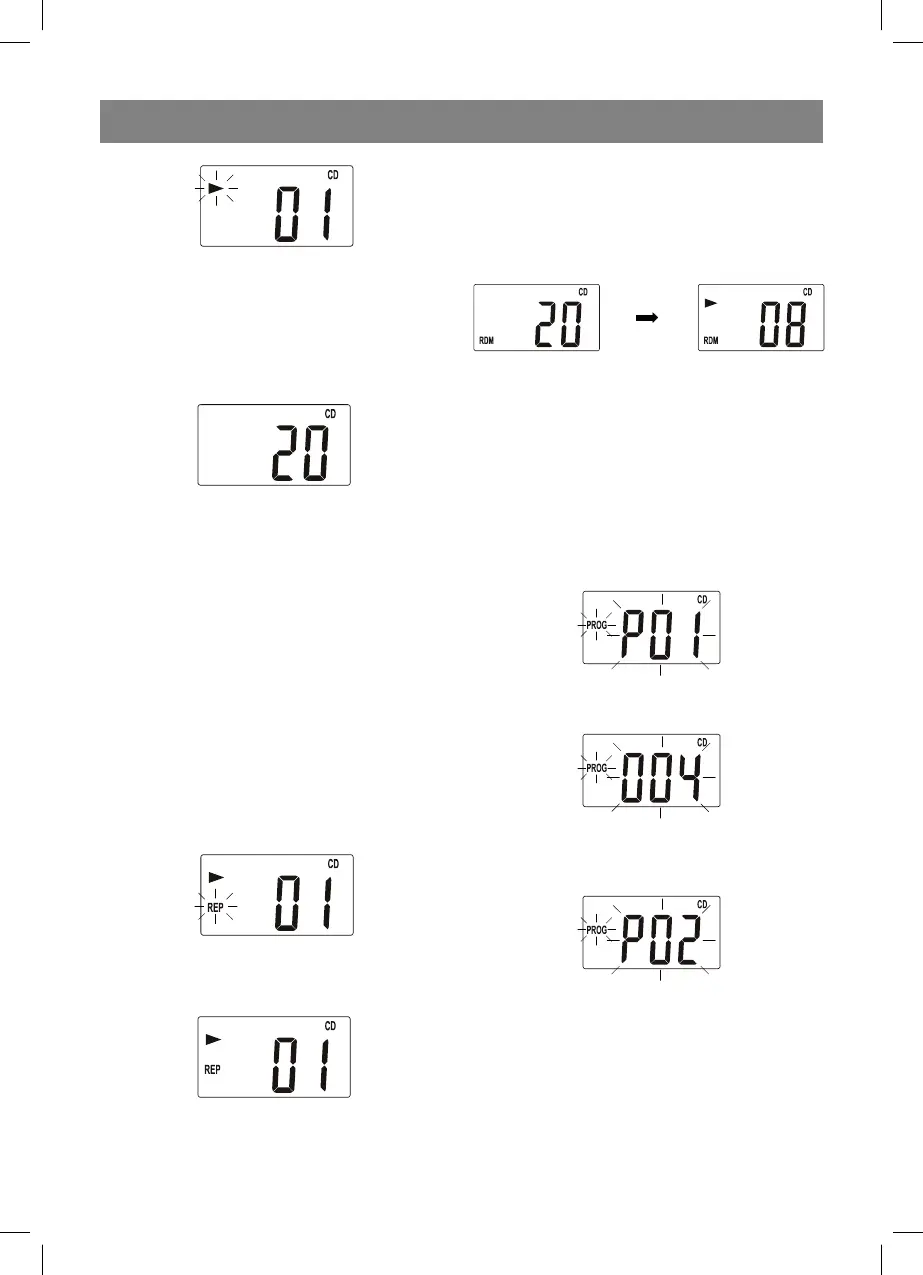
The number of the tracks will appear on the
LCD-display.
Move to the beginning of the track, to the
previous and the next track
1. To move to the beginning of the track, in the
playback mode, press the button once.
2. To move to the next track, press the but-
ton once.
3. To move to the previous track, in the play-
back mode, press the button, if the play-
back is stopped, press the button once.
4. To quickly move to the previous or next track
press and hold the or buttons corre-
spondingly.
Repeat playback of a track or a disc
1. To repeat one track, press the MODE button
once, the “REP” symbols will be flashing on
the LCD-display.
2. To repeat all tracks on the disc, press the
MODE button twice, the “REP” symbols will
be flashing on the LCD-display.
To cancel the repeat mode, go on pressing the
MODE button, until the repeat symbols disap-
pear.
Random playback
1. To playback all tracks on the disc in a random
order, press the MODE button thrice in the
stop mode, the “RDM” symbols will appear
on the LCD-display. Press the PLAY button,
the random playback will start.
2. To cancel the random playback press the
MODE button again, the “RDM” symbols will
disappear.
PROGRAMMED PLAYBACK
You can program playback of tracks (max. 20) at
the desired order.
1. When the playback of the disc is stopped,
press the PROG button once. The “PROG”
symbol and the “P01” symbol will be flashing
on the LCD-display.
2. Select the desired track by pressing the or
buttons.
3. To store the desired track in memory press
the PROG button. The number of the track
while programming will change to “Р02”
4. Programming of the following track: select the
next track, by pressing the or buttons.
Then press the PROG button to store the se-
lected track in memory. You can program up
to 20 tracks.
5. To playback programmed tracks press the
PLAY/PAUSE button.
3455IM.indd 63455IM.indd 6 18.12.2009 17:43:1518.12.2009 17:43:15


 To Next Page