ENGLISH
5
Connections
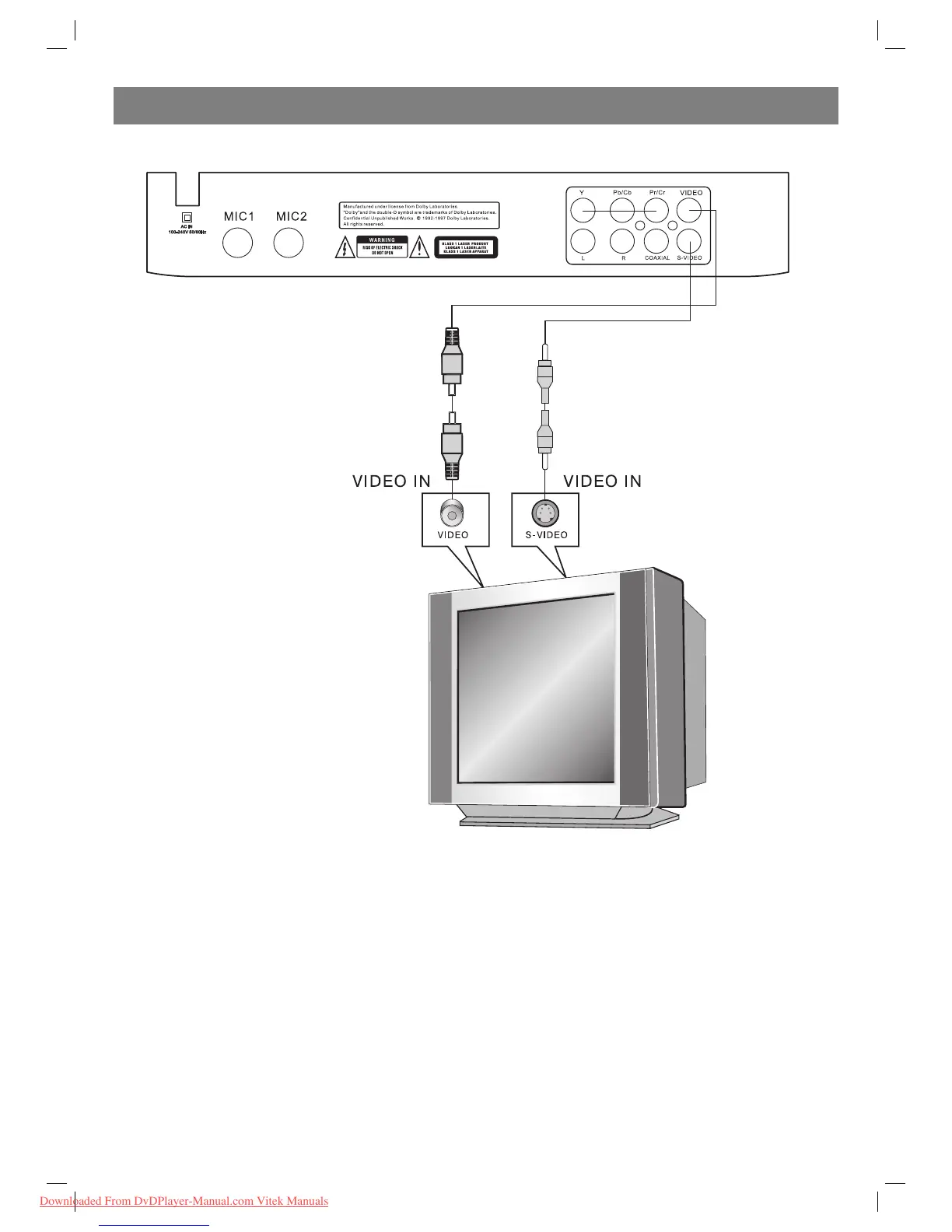
Connecting to a TV set
Set player’s Digital Out mode to “OFF” in the audio setup page. There are two ways of connecting the player’s AV output to the TV set:
1. Svideo cable and left/right audio cable. (Set the [Video output] to SVideo])
2. Composite video cable and left/right audio cable.
4002IM_new.indd 54002IM_new.indd 5 20.08.2009 12:38:5420.08.2009 12:38:54
Downloaded From DvDPlayer-Manual.com Vitek Manuals


 To Next Page