ENGLISH
6
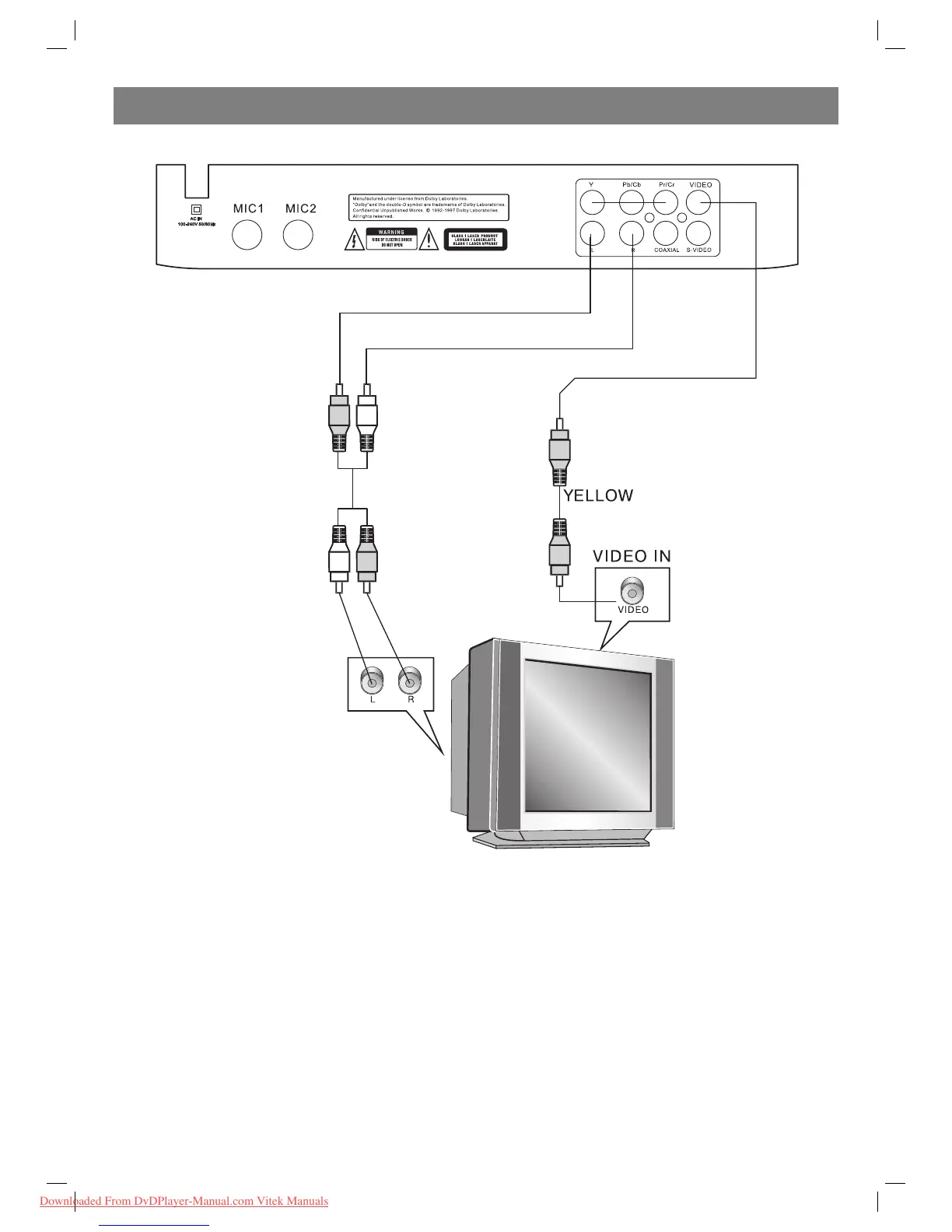
Connecting to an AV amplifier with 5.1 channels analog audio input
Notes:
1. Set player’s Digital Out mode to “OFF” in the audio setup page.
2. Set the TV set’s AV input to the channel you have connected.
3. Set the amplifier’s audio input to the channel you have connected.
4002IM_new.indd 64002IM_new.indd 6 20.08.2009 12:38:5420.08.2009 12:38:54
Downloaded From DvDPlayer-Manual.com Vitek Manuals


 To Next Page