19
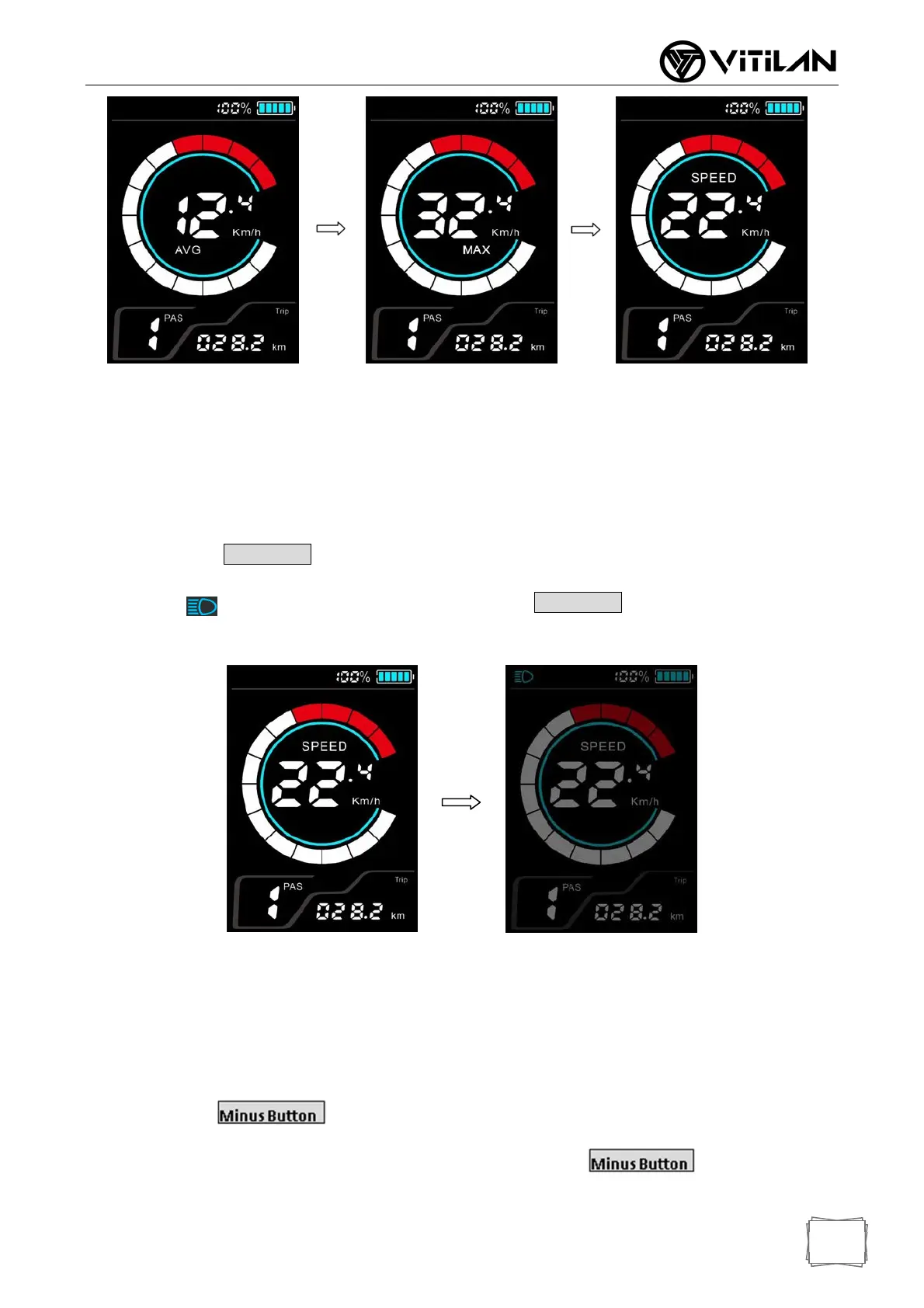
Average Speed(AVG) Max Speed(MAX) Real time speed(SPEED)
*If there is no key operation for 5 seconds, the meter will automatically return to the real-time
speed display state.
7.5 Headlight / Backlight Switch
Press and hold (1 second), the brightness of the meter's backlight decreases, and the lights
are turned on (requires controller support). Press and hold again (1 second), the display
backlight will return to its original brightness, and the lights will be turned off at the same time.
Headlight off Headlight on
* Meter backlight brightness can be adjusted in 5 levels. Users can set it according to their needs.
7.6 Walking Mode(6km walk assist)
Press and hold (1 second), the electric bike enters the boosting state, the speed
displays the real-time speed, and the gear position displays “P”. Release walking mode.
PlusButton
PlusButton


 To Next Page