21
8. MENU Parameter Setting
When power on, press twice (<0.3 seconds between presses), the system enters the
parameter setting state. In this state, the meter parameters can be set. Press twice again to
exit the setting state. (<0.3 seconds between presses).
When in setting state, press to select the desired adjustment item, when the parameter
flashes, press and to adjust the parameter setting, press to
save and switch, and press twice to exit the setting state (<0.3 seconds between presses).
*In the parameter setting state, if no key operation is performed for 30 seconds, the meter automatically exits
the setting state. In the riding state (the speed indication is not 0), you cannot enter the setting interface. If
you start cycling in the setting interface (the speed indicator is not 0), you will automatically exit the setting.
8.1 The display setting items are as follows:
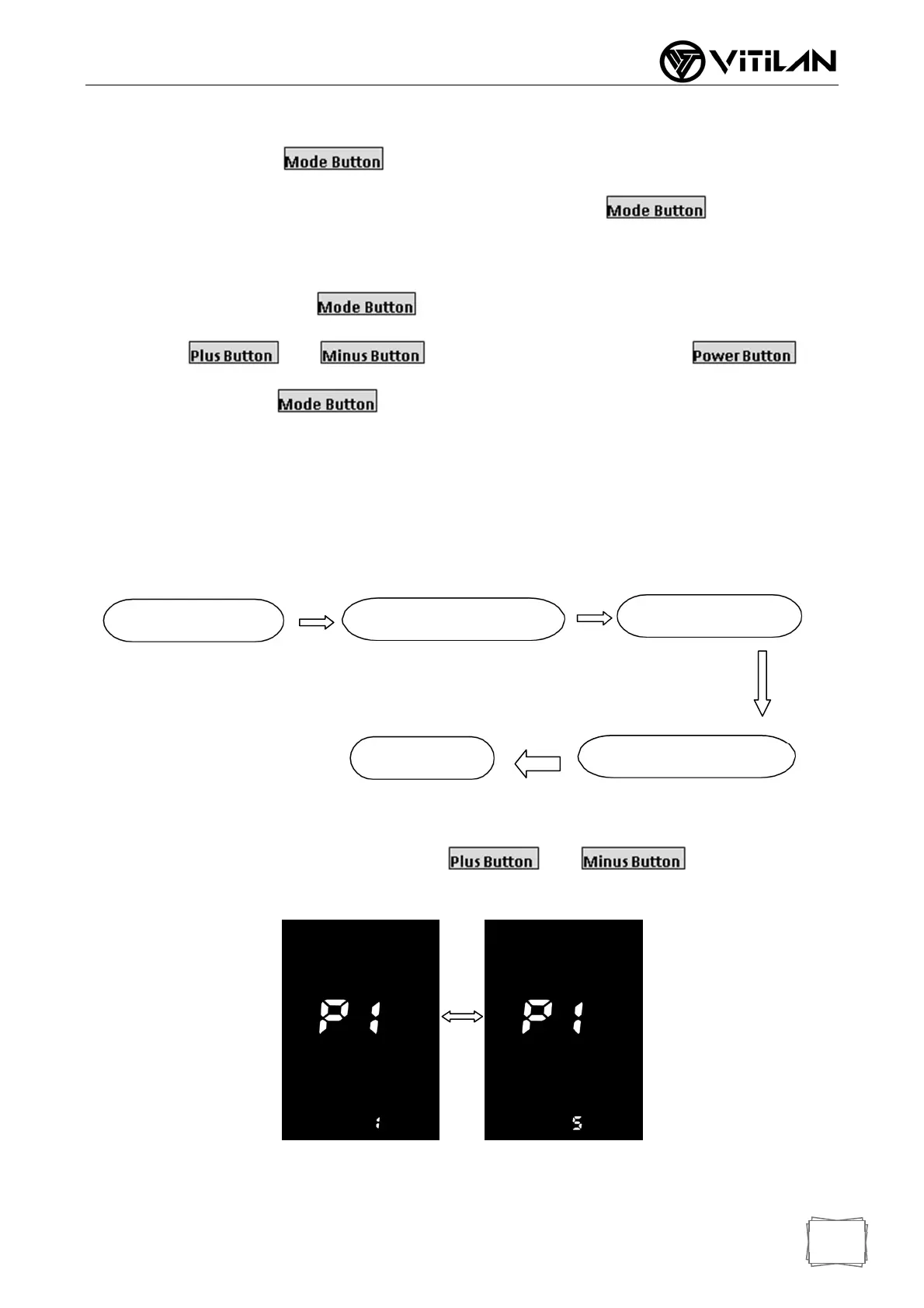
Backlight Brightness: For item P1, press and to select the display
1 ~ 5, “1” is the darkest backlight and “5” is the brightest.
Backlight Brightness Adjust Interface
Password Input
Manual/Automatic Switch
Backlight Brightness
Automatic shutdown time
Universal/England


 To Next Page