22
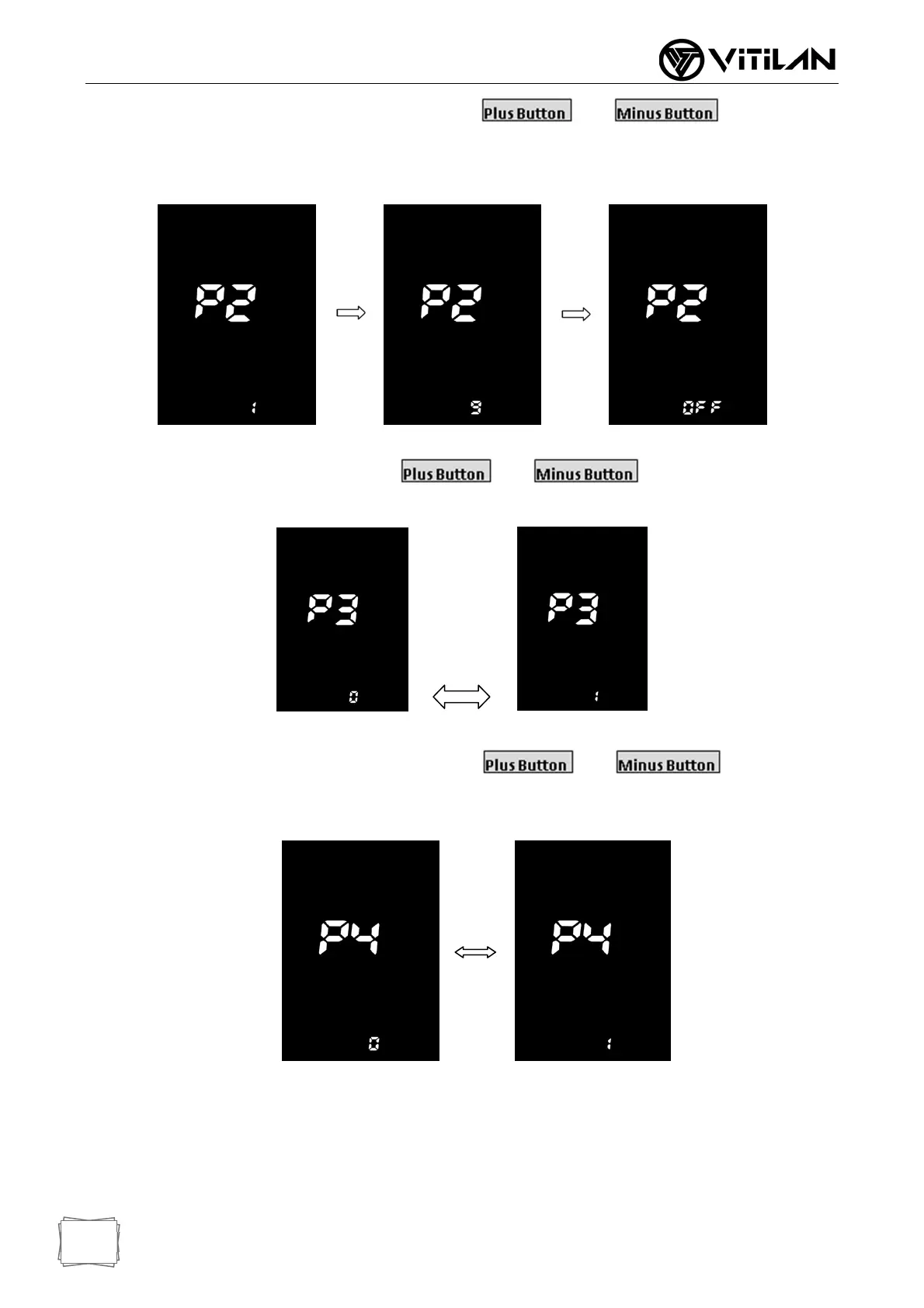
Automatic shutdown time: for item P2, press and to adjust the
position, 1 ~ 9 minutes represents the automatic shutdown time, OFF means cancel the automatic
shutdown function.
Automatic Shutdown time Adjust Interface
Universal/ England: for item P3, press and to switch km/h or MPH
display, set Universal/ England: 0 stands for universal system and 1 stands for England system.
Universal/ England Switch Interface
Manual / Automatic Switching: for P4 item, press and to select
manual / automatic switching. 0 means manual gear, 1 means automatic gear.
Manual / Automatic Switch Interface


 To Next Page