20
(1-6) DIS: Digital Image Stabilization function.
(1-7) RETURN: Return to last page.
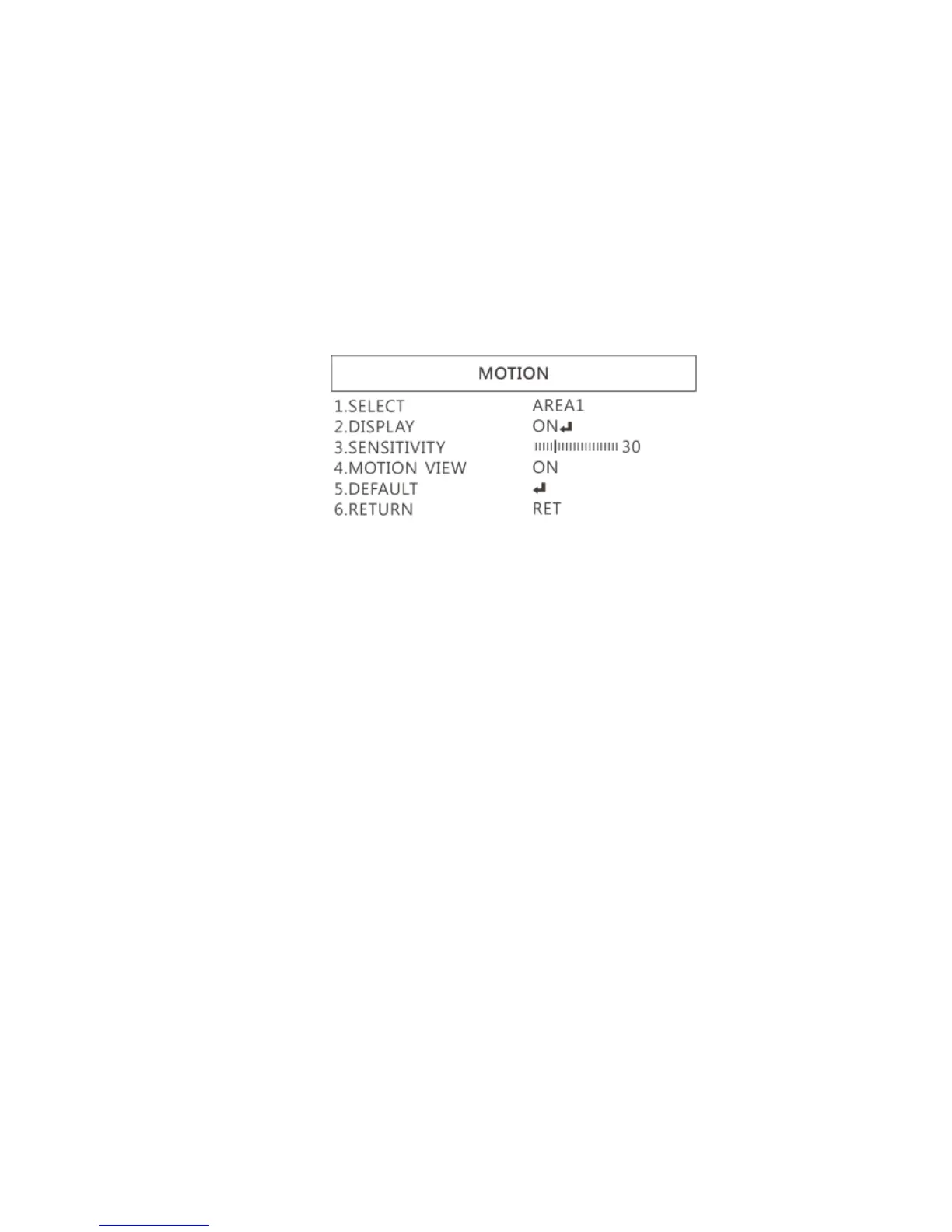
(2) MOTION: Detect the moving object, see below setting.
(2-1) SELECT: Select the areas which needs to be detected.
4 areas are selectable.
(2-2) DISPLAY: Display the selected area. Position and area
can be set in (2-1).
(2-3) SENSITIVITY: The sensitivity to detect whenever object
moves. The lower value gets the higher sensitivity.
(2-4) MOTION VIEW:Mark specific area to identify the
moving object.
(2-5) DEFAULT: Return to default setting.
(2-6) RETURN: Return to last page.
(3) LANGUAGES: 16 languages are selectable.



 To Next Page