9
Please refer to the above image. Small icons are used to
represent function modes.
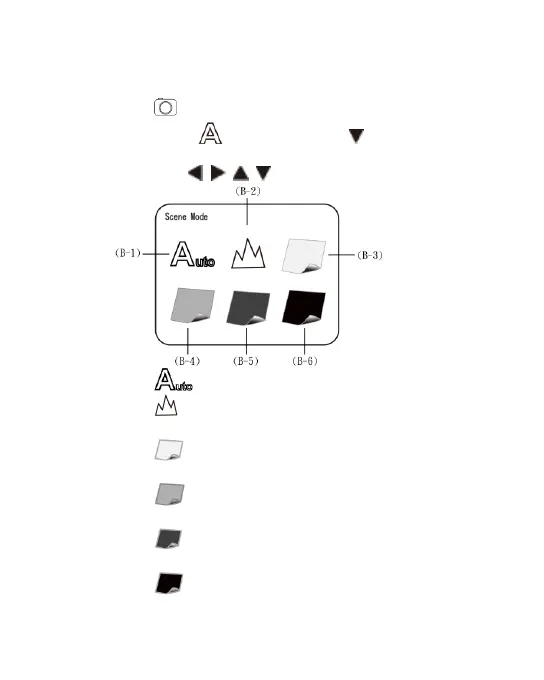
(A) Mode : the machine is in observing mode.
(B) Scene Mode : Press the button for a long time to
switch the six scene modes and select the modes by using
buttons of / / / .
(B-1) : Automatic mode (default).
(B-2) : Camera mode. LED will turn off automatically
in this mode.
(B-3) : White mode, for example, the observed
articles made of shining materials.
(B-4) : Grey mode, for example, the observed
articles with light colors.
(B-5) : Dark Grey mode, for example, the observed
articles with dark colors.
(B-6) : Black mode, for example, the observed
articles with dark black.



 To Next Page