6
1.3 Operation of Microscope
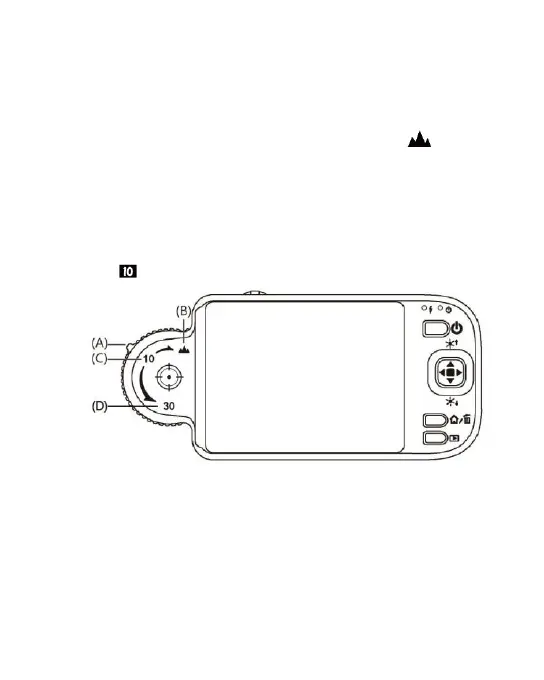
First, please choose long shot or flush-way shot, then adjust
the focus button.
(1) Focus way : the focus dial is labeled to indicate the
magnification amount (10x, 30x, and long shot ). Rotate
the focus wheel from position (A) to position (B) is for long
shot, need tuning the clear focus between (B) & (C) for
continuous magnification 1~10x. (C) is low optical
magnification (10x), and (D) is High optical magnification
(30x). You may find symbol represents the magnification size.
Please see below image, the indicator is under the position of
10x ( ) magnification.
(2) Horizontal contact : there are two focus points (10x & 30x) in
horizontal-contact observation, slightly tuning the black
indicator so that to get the clearest image quality.



 To Next Page