5
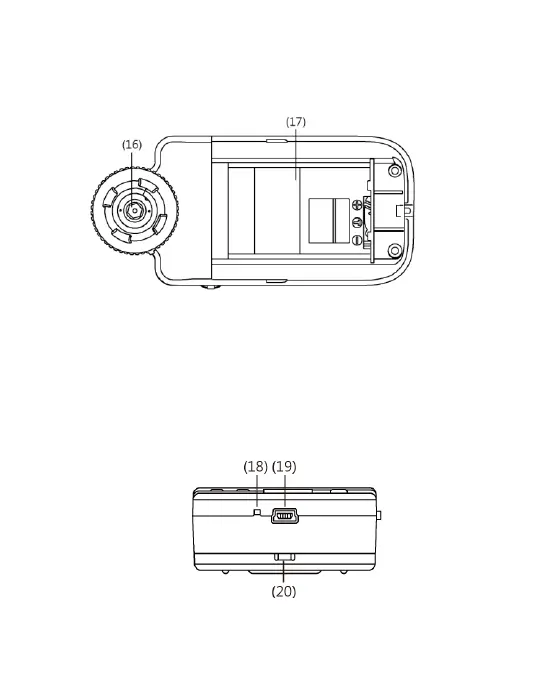
(16) Lens: the lens is applied to photography.
(17) Battery Container: Where is the Li-ion battery put. [please
refer to item (5) of Section 1.5].
(18) RESET Hole: in case the machine stops (which means no
reaction in the image by pressing any button), insert slender
clip into the hole to trigger the RESET button. After RESET,
please switch off/on power button or plug out/ in power cable.
(19) USB Connection Port: the port is applied to connect USB
device to computer [please refer to item (6) of Section 1.4 and
item (1) of Section 1.5].
(20) Handing Hole: a hanging hole for the Wrist Strap [please refer
to item (4) of Section 1.5]



 To Next Page