3
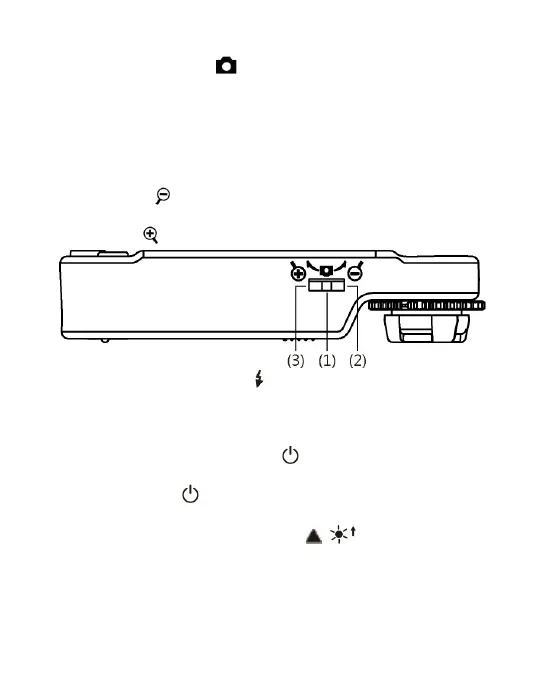
(1) Camera/Video REC : the button is applied to photograph in
observing mode [please refer to item (1) of Section 1.4].
Press the button for a long time to enter/quit Comparison
mode. In the Video Play mode, it can open video files
[please refer to item (2) of Section 1.4]. In Video REC mode
[please refer to item (3) of Section 1.4], the button is used to
start/stop recording video.
(2) Zoom Out : the button is applied to zoom out digital image
[please refer to (F) and (G) of item (1) of Section 1.4].
(3) Zoom In : the button is applied to zoom in digital image.
(4) Charging Display Light : The red light is to show the
charging status if it is on. The red light will turn off when
the charging is completed [please refer to (G) of item (1) of
Section 1.4].
(5) Power Supply Display Light : a green light to show the
machine is switched on. There is flash signal during recording.
(6) Power Supply : press the button for 3 seconds to switch
on/off the machine
(7) Progressive-Brightness of Lights / : brightness can be
adjusted at 8 levels [please refer to (D) of item (1) of Section
1.4]. In observing mode, the button is used to increase
brightness of illumination (auxiliary sources). In the video



 To Next Page