IMPORTANT: Do NOT Return Dispenser To Store.
If you have a question or problem, please contact 855-VIVA-111 for assistance.
Model: A1313361VB Page 12
How to make “custom temperature” setting:
Press the “CUSTOM TEMP” button for by single touch, the LED light below “Custom
temperature” will flash, and LCD will flash 3
, To adjust the temperature you want by
touching “SELECT” button. Note: the adjust range is from 3
-20 .
When setting is done, system will save automatically and display will go back to
default display without touching any button.
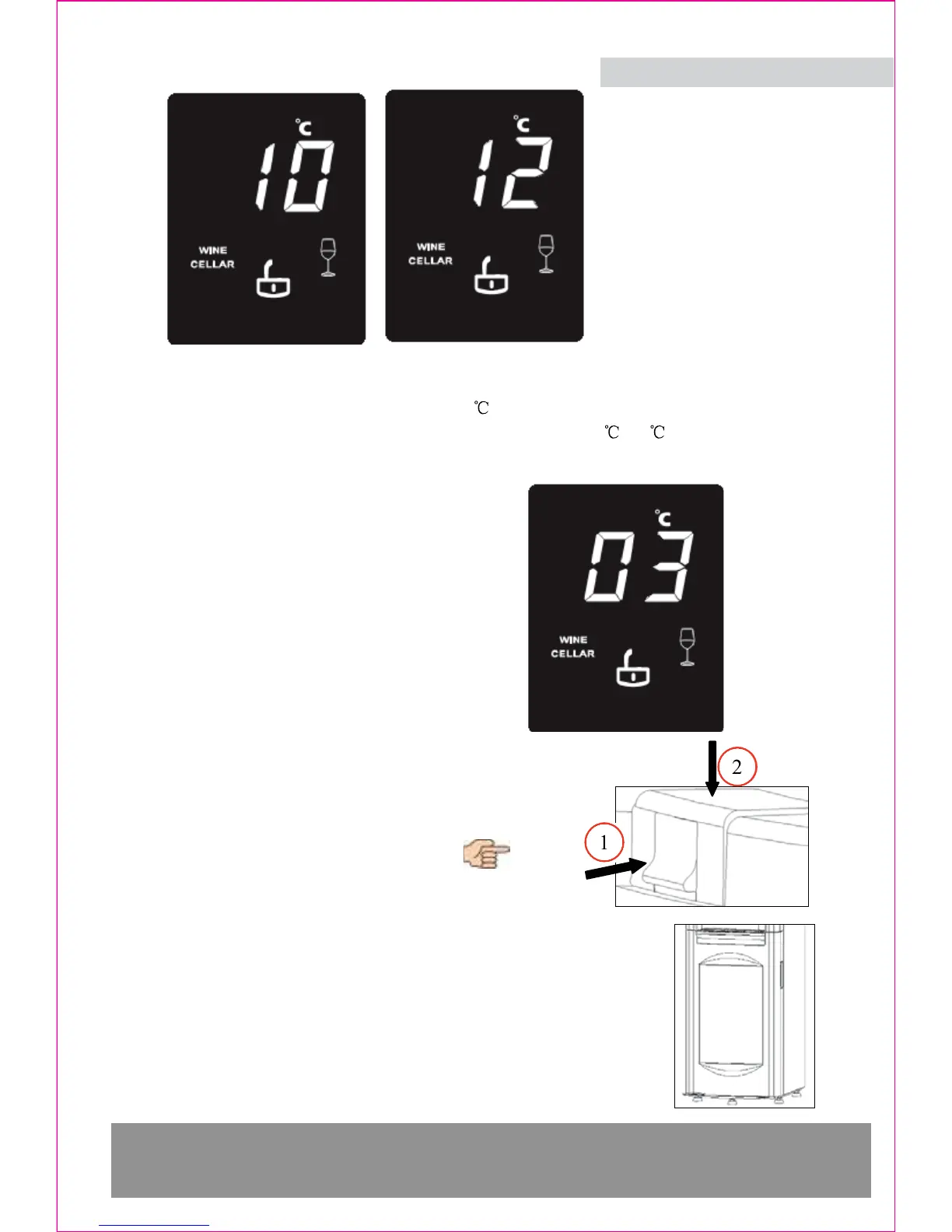
LCD display example is showing here:
How to use the child-safety hot water tap
First press down the child safety lock, and then press
down the button without releasing the child-safety lock
.
As shown in figure
Wine cellar door
The wine cellar door must be closed tightly to make sure
the wine cellar work properly.


 To Next Page