EasyManua.ls Logo

Vividia Ablescope VA-400 User Manual

Vividia Ablescope VA-400
14 pages
To Next Page IconTo Next Page
Page #1 background imageLoading...
Page #1 background image
User Manual
Models:
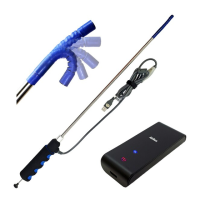
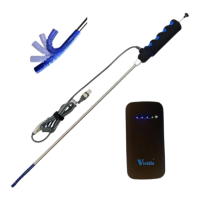
VA-400 USB Digital Rigid Articulating Borescope
VA-800 USB Digital Flexible Articulating Borescope
VA-920 USB Digital Semi-Rigid Short Articulating Borescope
VA-980 USB Digital Semi-Rigid Long Articulating Borescope
VA-9150 USB Digital Semi-Rigid Super Long Articulating Borescope
UV-400 USB Digital Rigid UV/White Articulating Borescope
VA-680 USB 2MP HD Semi-Rigid Articulating Borescope
Optional Accessories:
VA-B2 Vividia
®
Wi-Fi Box for iPhone iPad and Android
VA-T7 Vividia
®
Android Tablet
VA-T8 Vividia
®
Windows Rugged Tablet
VA-C1 Vividia
®
Rubber Sleeve Changing Tube Tool
VA-R5 Vividia
®
Protective Rubber Sleeve 5pcs
VA-400
UV-400
Rigid
VA-800
T7 Android Tablet
VA-920
VA-980
VA-B2 WiFi Box
VA-R5 Protective
Rubber Sleeve 5pcs
T8 Windows Tablet
VA-9150
Question and Answer IconNeed help?

Do you have a question about the Vividia Ablescope VA-400 and is the answer not in the manual?

Vividia Ablescope VA-400 Specifications

General IconGeneral
BrandVividia
ModelAblescope VA-400
CategoryAnalytical Instruments
LanguageEnglish

Summary

Introduction to Vividia Ablescope Borescopes

Specifications

Lists sensor, resolution, interface, focal distance, and other technical specs.

Bendable Articulation Operations

Software Download, Installation, and Use

Software for Windows Users

Details on downloading and using software for Windows systems.

Important Notices and Safety Precautions

Very Important Notice

Warning against bending the camera tip by force and potential warranty voiding.

General Notes & Safety Precaution

Guidelines on operating temperature, immersion, handling, and environmental factors.

Troubleshooting and Frequently Asked Questions

Troubleshooting Stuck Borescope

Advice on what to do if the borescope is stuck or cannot bend.