Initial Camcorder Setup
CHARGING THE BATTERY
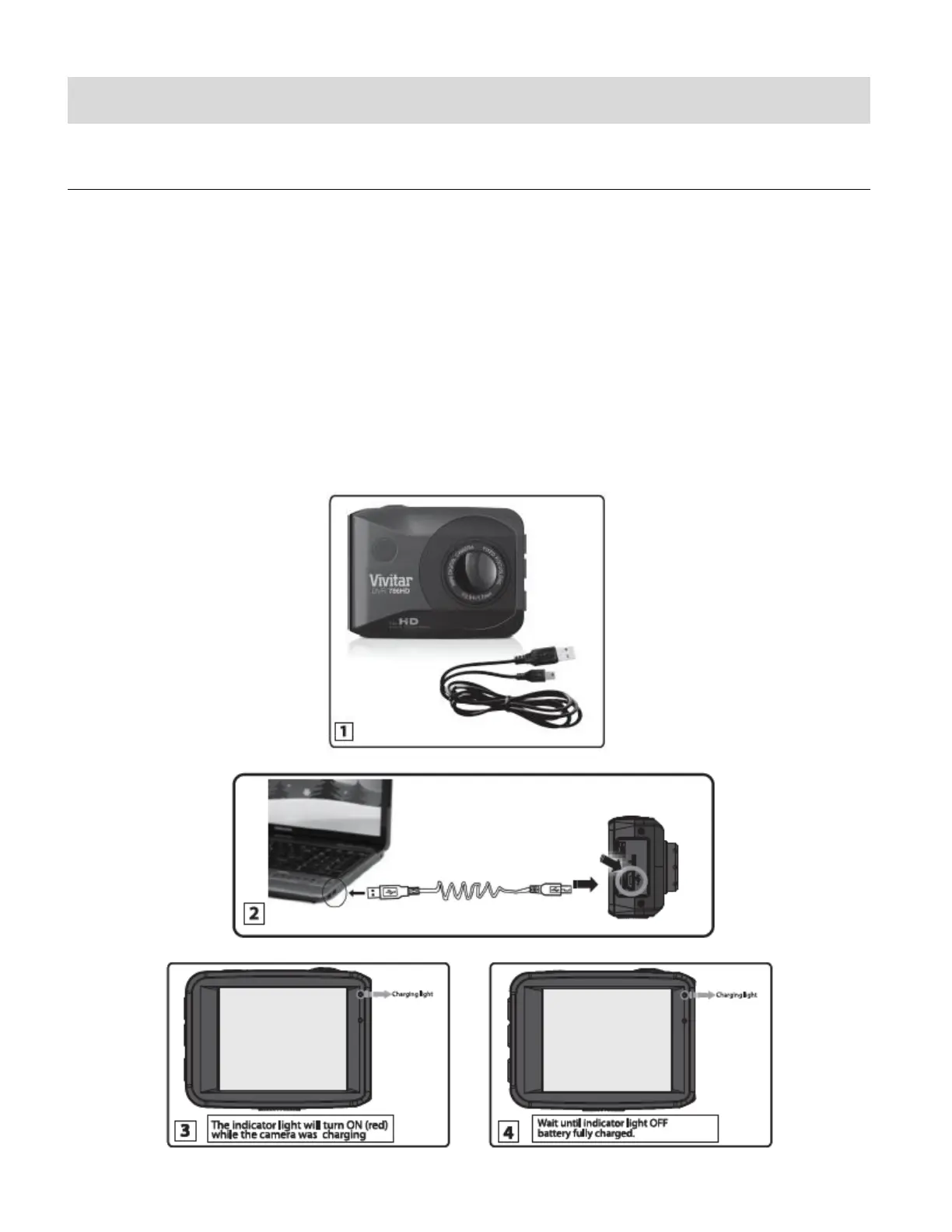
To charge the battery, follow either one of the charging methods below:
CHARGING VIA THE COMPUTER
1. Power off the camera.
2. Use the supplied USB cable to connect the smaller end of the USB cable into the USB
slot on the camcorder. Connect the other end to the USB interface of your computer.
See images below: 1 and 2.
3. The LED charge light turns on while charging is in progress. The charge light turns off
when the battery is fully charged. See images below: 3 and 4.



 To Next Page