SMART WATCH
13.
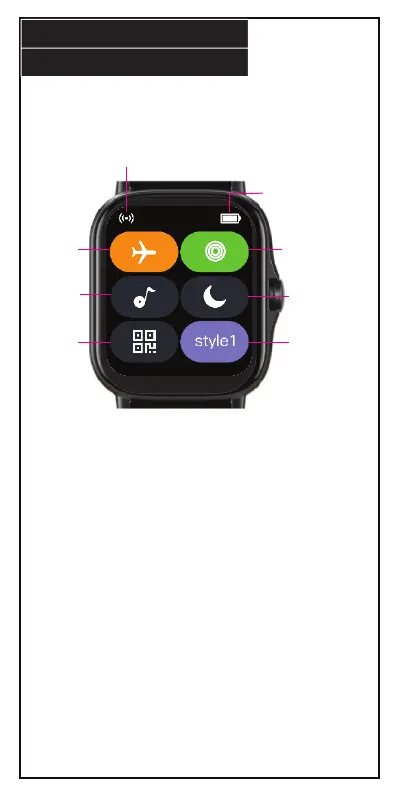
Swipe up after turning on your smart watch to access the quick
menu. All quick menu options can also be found in the main menu.
2. Health Tricyclic: Display the tracking
bars of three exercise intensities.
4. Do Not Disturb: Mute phone
notifications transmitted to smart
watch.
6. Menu Style: Press to change menu
display style.
3. Music: Tap to change track or turn
music on/o.
5. QR Code: Press to open QR code. QR
code leads to the FitPro app.
1. Airplane Mode: Turn airplane mode on
when you are on a plane.
Smart Watch
battery
1
2
3 4
5
6
Connection icon


 To Next Page