
 To Next Page
V
valerie31Aug 4, 2025
What to do if my Vivitar BTPro have no power?
- MMark DelacruzAug 4, 2025
If your Vivitar Scales have no power, it's likely that the battery is depleted. Replace the battery to resolve this issue.

What to do if my Vivitar BTPro have no power?
If your Vivitar Scales have no power, it's likely that the battery is depleted. Replace the battery to resolve this issue.
What does 'LO' mean on my Vivitar BTPro?
If your Vivitar Scales display 'LO', it means the battery power is too low. You should replace the battery.
What does 'OL' mean on my Vivitar BTPro Scales?
If your Vivitar Scales display 'OL', it indicates an overload. Do not put more than 400lbs on the scale.
Why are my Vivitar BTPro giving inaccurate readings?
If your Vivitar Scales are showing inaccurate readings, it might be due to an unstable surface. Make sure the scale is on a hard, level surface, and avoid using it on carpet or rugs.
Instructions for opening the battery compartment and inserting a CR2032 battery correctly.
Guide on selecting or adding a user profile to store personal weight and information.
Solutions for "OL" overload, "LO" low battery, and "No power" issues.
 General
| Connectivity | Bluetooth |
|---|---|
| Accuracy | 0.2 lb / 0.1 kg |
| Display | LCD |
| Batteries Included | Yes |
| Auto Shut-off | Yes |
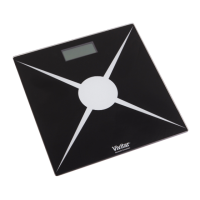
| Material | Tempered Glass |
| Dimensions | 11.8 x 11.8 x 1 inches |
| Maximum Weight Capacity | 400 lb / 180 kg |
| Measurements | Weight, Body Fat, Muscle Mass, Bone Mass, BMI |
| Power Source | Batteries |
| Units of Measurement | lb, kg, st |
| Compatible Apps | Vivitar |