2) Installing the SD Memory Card
IMPORTANT: You must use only a Class 4 SDHC Memory card or higher.
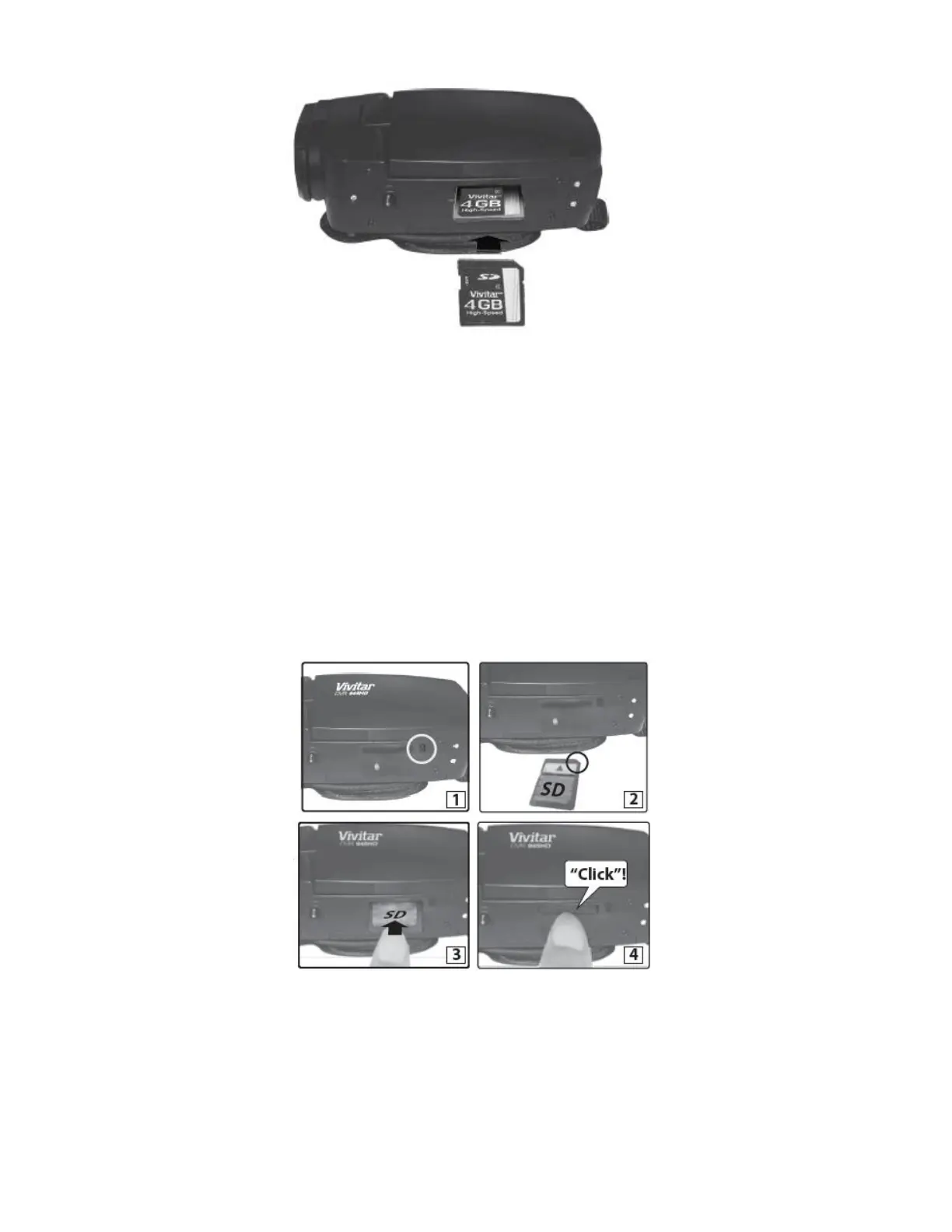
Make sure a Class 4 (or higher) SD card (up to 32GB) has been properly inserted into your
camera. SD card not included.
To properly insert the SD Card:
Push the SD card into the slot in the direction as shown SD card icon on the camera. (See
images below: 1 and 2.)
Push the SD card until you hear a slight clicking sound. This indicates the SD card has been
inserted correctly. (See images below: 3 and 4.)



 To Next Page