Prepare Your Digital Camcorder for Use
Battery Installation
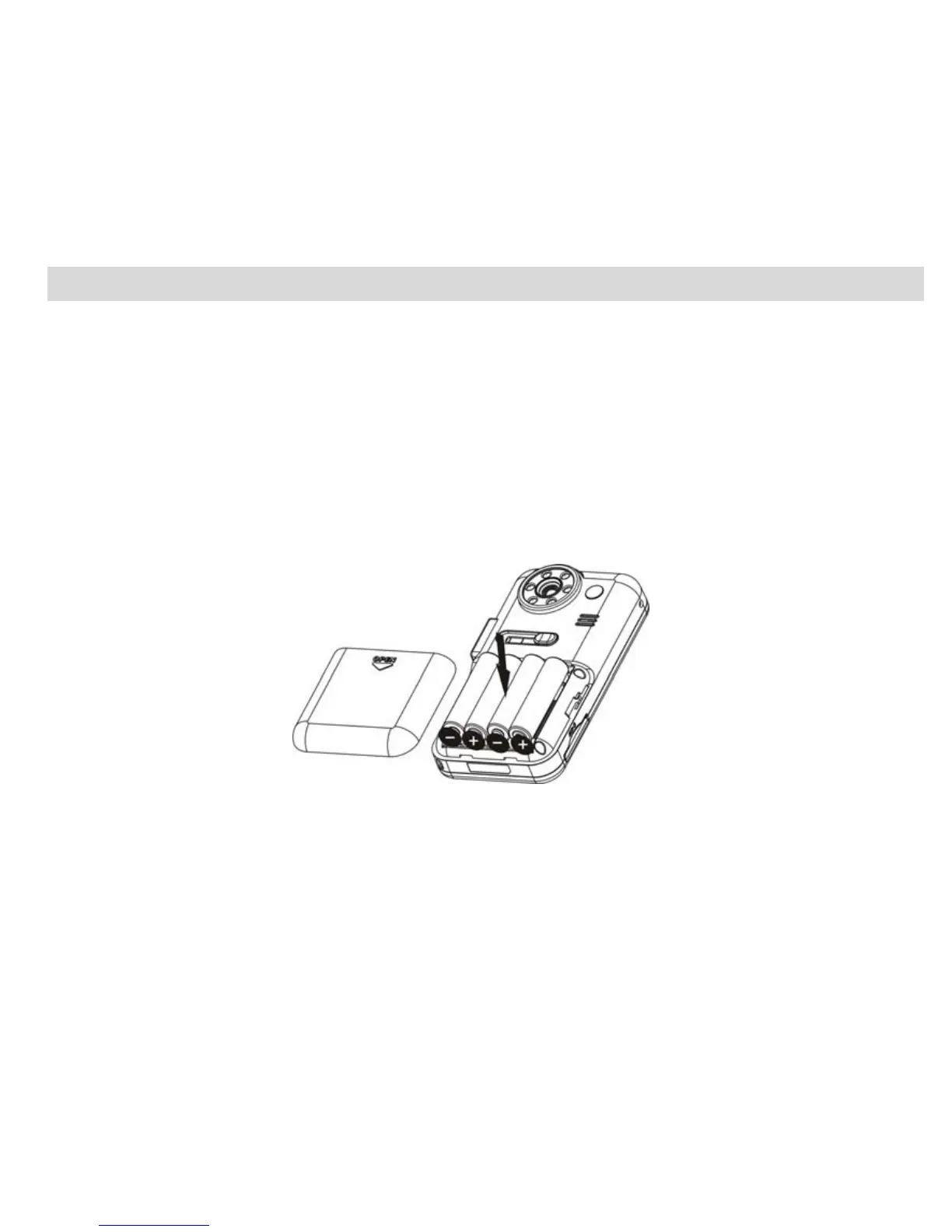
Your Digital Video Camcorder requires 4 AAA batteries (alkaline batteries are recommended).
Note: Your Digital Video Camcorder has a 2GB Nand Flash memory, and therefore the data in your internal
memory won’t be lost if your player is powered off or when the batteries need to be replaced.
Insert the batteries into your Digital Video Camcorder as directed below:
1. Slide the battery cover down then lift to open the cover.
2. Insert the batteries with the correct polarity (positive pole/negative pole) as appears in the battery
compartment.
3. Replace and slide the battery cover down to close.
Note:
1. Do not mix old and new batteries.
2. Do not mix alkaline, standard (carbon-zinc), or rechargeable (nickel-cadmium metal hydride)
batteries.
7


 To Next Page