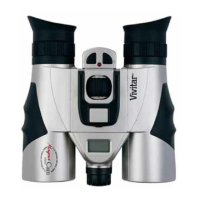
Vivitar MagnaCam 1025X2 2 MP Digital Camera/Binocular
8
2.2 LCD Display
Digital camera modes and functions are presented on the information LCD
display on the back of the camera frame. Press and hold the Menu button
for three to four seconds to power-on the camera. The camera will beep
as it powers-up. The camera will display the current resolution setting
(example: Hi), and the current number of images that you had taken. Press
the Menu button (repeatedly) to scroll through the digital camera options.
The meaning of each symbol is as follows:
Display Meaning Operation
Number of images
taken
Press Shutter to capture an image, the counter will
increase by one
Self-timer
Press Shutter to invoke 10-second self-timer. The
camera beeps and LED blinks.
Movie Capture
Press Shutter to begin Movie capture, LED
flashes. Press Shutter again to stop Movie capture
Clear All Images
To delete all images in memory, Press Shutter once
to start deletion, the LCD will blink. Press Shutter
again to confirm your decision – LED blinks once
and the camera beeps once to confirm.



 To Next Page
 Loading...