4
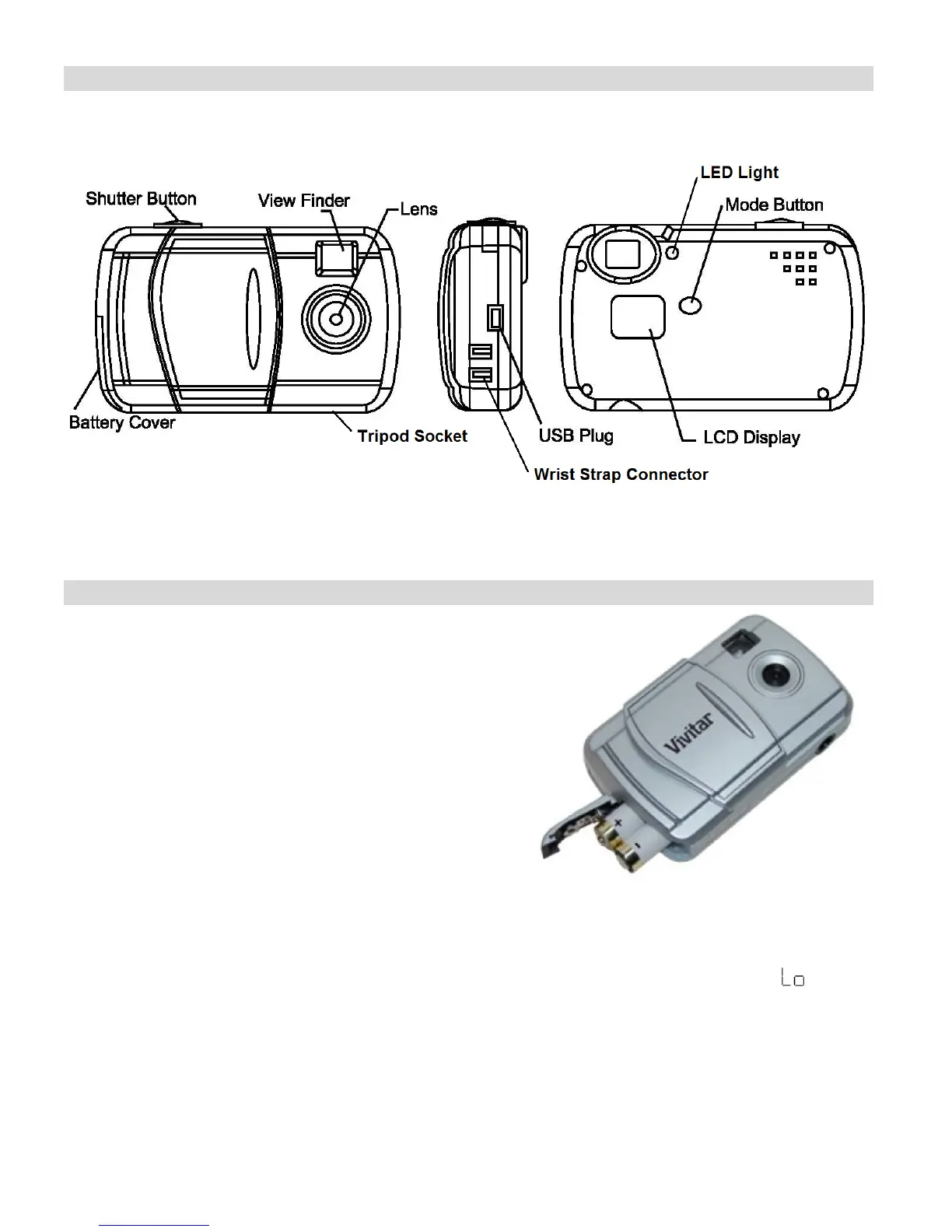
A Quick Look at your Digital Camera
Installing the Batteries
Your camera requires 2 AAA batteries (not included).
Insert the batteries into the camera as shown:
1. Open the battery compartment.
2. Insert the batteries in accordance with the
polarity (+/-) shown on the inside of the battery
cover.
3. Close the battery compartment.
The LCD will flash if your batteries are running low in which case you will need to replace them
before taking photos. When the battery voltage drops below 2.2V, the LCD will display and
then automatically switch off.
Note: If you do not intend to use your camera for an extended period, remove the batteries to
avoid leakage and corrosion.








 To Next Page