EasyManua.ls Logo

Vivitar VIVICAM 9112 - User Manual

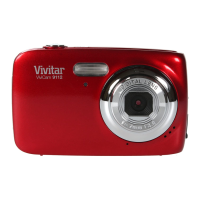
Vivitar VIVICAM 9112
63 pages
Print Icon
To Next Page IconTo Next Page
Loading...
ViviCam 9112 Digital Camera
User Manual
© 2009-2011 Sakar International, Inc. All rights reserved.
Windows and the Windows logo are registered trademarks of Microsoft Corporation.
All other trademarks are the property of their respective companies.
Question and Answer IconNeed help?

Do you have a question about the Vivitar VIVICAM 9112 and is the answer not in the manual?

Summary

Introduction and Package Contents

Whats Included

Lists the items included with the digital camera.

Camera Components

Parts of the Camera

Identifies and labels various components of the camera.

Initial Camera Setup

Installation Steps

Guides through inserting batteries, memory card, and powering on.

Configuration Settings

Setup for language, date/time, and ViviLink options.

Camera Specifications and Requirements

Main Camera Modes

Overview of the camera's primary operational modes.

Camera Technical Specifications

Lists detailed technical attributes of the camera.

Computer System Requirements

Outlines necessary PC/Mac configurations for software.

Camera Operation Basics

Powering the Camera On;Off

Instructions for turning the camera on and off.

Changing Camera Mode

Instructions on switching between Photo, Video, and Playback modes.

Navigating the Menus

How to use buttons to access and control camera menus.

Photo Capture Mode Details

Taking a Picture

Instructions for composing and capturing a still photograph.

Quick Function Buttons

Explanation of the four-directional pad functions in Photo Mode.

Flash and Macro Settings

How to use flash options and the macro switch for close-up shots.

Photo Capture Menus

Details on various settings like Scene, Resolution, Quality, and Exposure.

Photo Playback Mode

Viewing Photos

How to select, zoom, and navigate through captured photos.

Thumbnail View

Method to view multiple photos in a grid and select them.

Playback Quick Buttons

Functions of directional pad buttons in Playback Mode.

Playback Menus

Options for deleting, rotating, cropping, and protecting files.

Video Capture Mode

Taking a Video

Instructions for recording video clips with the camera.

Quick Function Buttons

Explanation of the four-directional pad functions in Video Mode.

Video Playback Mode

Playing Videos

How to select and play recorded video clips.

Thumbnail View

Method to view multiple videos in a grid and select them.

Playback Quick Buttons

Functions of directional pad buttons in Video Playback Mode.

Video Playback Menus

Options for deleting and protecting video files.

Software Installation

Connecting the Camera

Connecting to Computer

Instructions for physically connecting the camera via USB.

Media Transfer

Getting Photos and Videos

Using software to transfer media from camera to computer.

Manual Transfer

Steps for transferring files manually via file explorer.

Support and Maintenance

Camera Maintenance

Guidelines for caring for the digital camera.

Sakar Warranty Card

Details of the product warranty and service information.

Technical Support

Contact information and resources for assistance.

Troubleshooting

Solutions to common camera issues and questions.

Summary

Introduction and Package Contents

Whats Included

Lists the items included with the digital camera.

Camera Components

Parts of the Camera

Identifies and labels various components of the camera.

Initial Camera Setup

Installation Steps

Guides through inserting batteries, memory card, and powering on.

Configuration Settings

Setup for language, date/time, and ViviLink options.

Camera Specifications and Requirements

Main Camera Modes

Overview of the camera's primary operational modes.

Camera Technical Specifications

Lists detailed technical attributes of the camera.

Computer System Requirements

Outlines necessary PC/Mac configurations for software.

Camera Operation Basics

Powering the Camera On;Off

Instructions for turning the camera on and off.

Changing Camera Mode

Instructions on switching between Photo, Video, and Playback modes.

Navigating the Menus

How to use buttons to access and control camera menus.

Photo Capture Mode Details

Taking a Picture

Instructions for composing and capturing a still photograph.

Quick Function Buttons

Explanation of the four-directional pad functions in Photo Mode.

Flash and Macro Settings

How to use flash options and the macro switch for close-up shots.

Photo Capture Menus

Details on various settings like Scene, Resolution, Quality, and Exposure.

Photo Playback Mode

Viewing Photos

How to select, zoom, and navigate through captured photos.

Thumbnail View

Method to view multiple photos in a grid and select them.

Playback Quick Buttons

Functions of directional pad buttons in Playback Mode.

Playback Menus

Options for deleting, rotating, cropping, and protecting files.

Video Capture Mode

Taking a Video

Instructions for recording video clips with the camera.

Quick Function Buttons

Explanation of the four-directional pad functions in Video Mode.

Video Playback Mode

Playing Videos

How to select and play recorded video clips.

Thumbnail View

Method to view multiple videos in a grid and select them.

Playback Quick Buttons

Functions of directional pad buttons in Video Playback Mode.

Video Playback Menus

Options for deleting and protecting video files.

Software Installation

Connecting the Camera

Connecting to Computer

Instructions for physically connecting the camera via USB.

Media Transfer

Getting Photos and Videos

Using software to transfer media from camera to computer.

Manual Transfer

Steps for transferring files manually via file explorer.

Support and Maintenance

Camera Maintenance

Guidelines for caring for the digital camera.

Sakar Warranty Card

Details of the product warranty and service information.

Technical Support

Contact information and resources for assistance.

Troubleshooting

Solutions to common camera issues and questions.

Vivitar VIVICAM 9112 Specifications

General IconGeneral
BrandVivitar
ModelVIVICAM 9112
CategoryDigital Camera
LanguageEnglish

Related product manuals