SAVE SELECTION - Saves your selected menu option.
To navigate through the Menus, press the
UP/DOWN/LEFT/RIGHT direction control buttons.
MODE SELECTION - Toggles between the Photo Capture Mode,
Video Capture Mode and Playback Mode.
Exits the menu screen.
ZOOM - Zooms In to selected photo.
ZOOM - Zooms Out of selected photo.
THUMBNAIL - Opens Thumbnail View.
To navigate in the Thumbnail View press the
UP/DOWN/LEFT/RIGHT direction buttons.
To select an image in the Thumbnail View press the SET button.
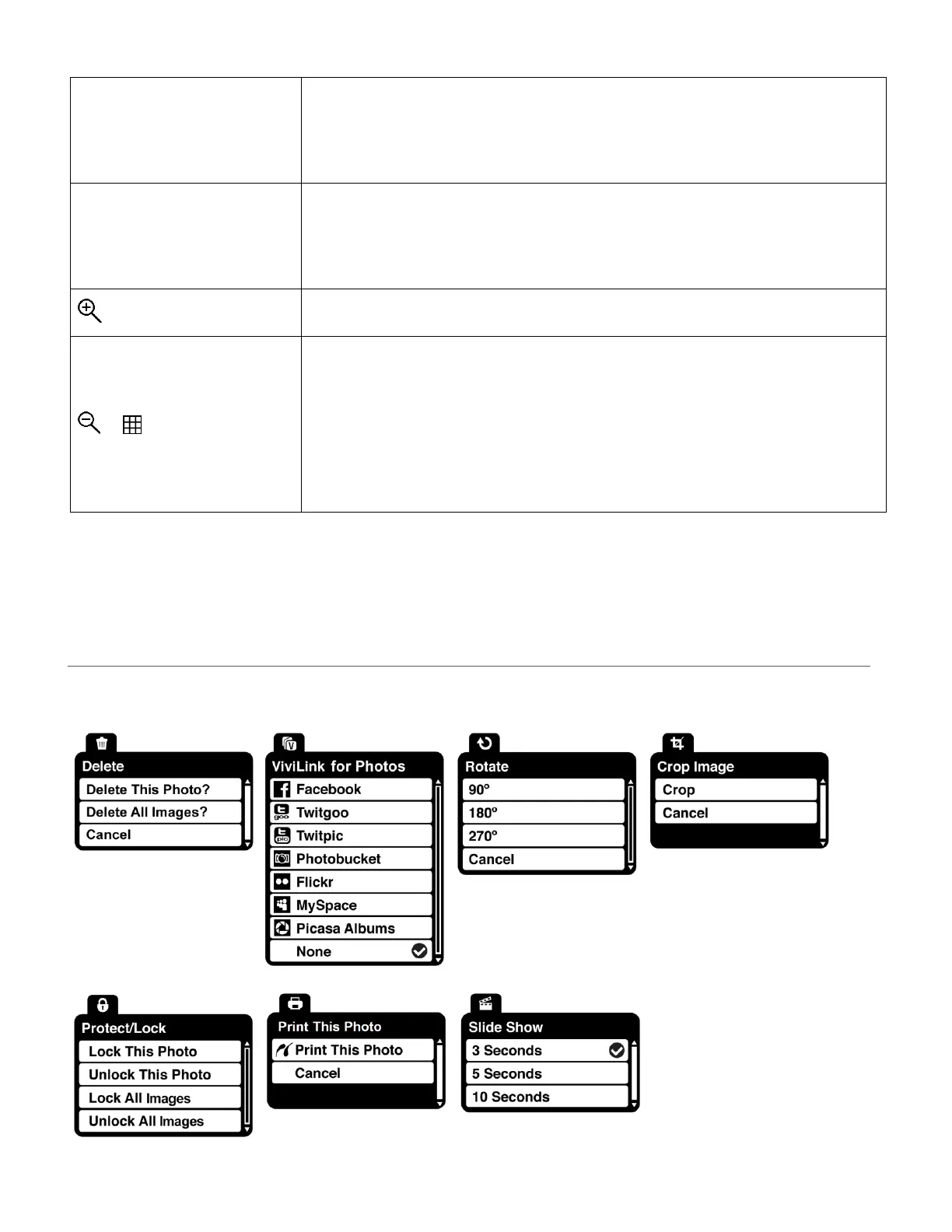
PHOTO PLAYBACK MODE MENUS
The following are the menus that appear in your camera’s Photo Playback Mode:








 To Next Page