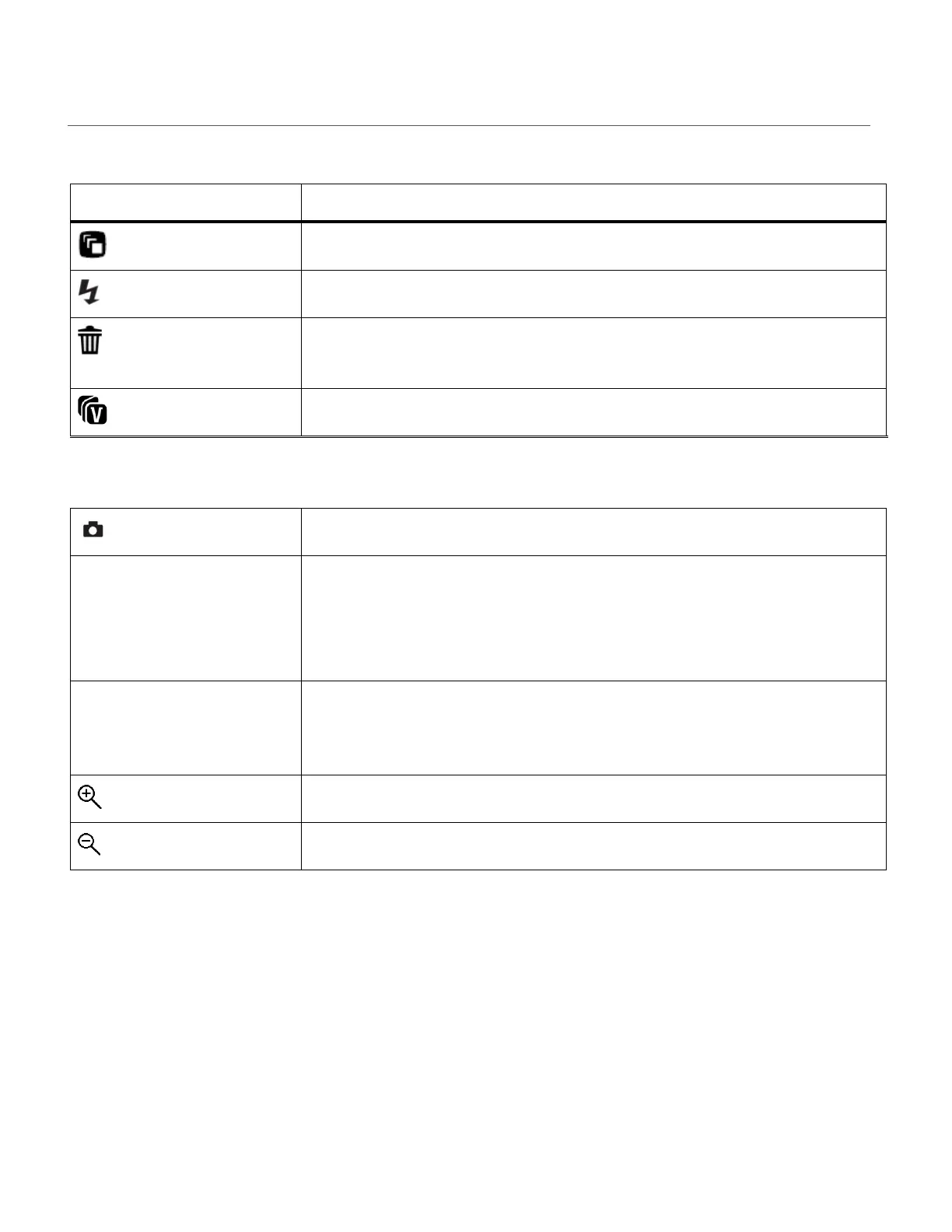
VIDEO CAPTURE MODE QUICK FUNCTION BUTTONS
Your digital camera has a four-directional pad that functions as Quick Function buttons.
SCENE SELECTION – Opens the ‘Scene’ menu.
LIGHT EXPOSURE – Opens the ‘Light Exposure’ menu.
DELETE – Opens the ‘Delete This Video’ option and allows you to
view and delete the last video taken.
VIVILINK – Opens the ‘ViviLink for Videos’ menu.
START/STOP – Starts and stops the video capture.
MENU - Opens the menu options for Video Capture Mode.
SAVE SELECTION - Saves your selected menu option.
To navigate through the Menus, use the UP/DOWN/LEFT/RIGHT
direction control buttons.
MODE SELECTION - Toggles between the Photo Capture Mode,
Video Capture Mode and Playback Mode.
Exits the menu screen.








 To Next Page