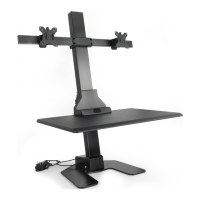
This document is an instruction manual for the VIVO Black Desk Riser, SKU: DESK-V000K. It provides detailed assembly steps, safety warnings, and contact information for customer support.
Function Description
The VIVO Black Desk Riser is an adjustable desk designed to convert a traditional desk into a standing workstation. It allows users to easily raise and lower their desktop surface, promoting ergonomic working postures and reducing the health risks associated with prolonged sitting. The desk riser includes a main desktop surface and a separate keyboard tray, providing ample space for a monitor, laptop, keyboard, and mouse.
Important Technical Specifications
- SKU: DESK-V000K
- Weight Capacity:
- Desktop: 33 lbs (14.97 kg)
- Keyboard Tray: 4.4 lbs (2 kg)
- Vertical Motion Range: 15 inches / 38 cm (This is the recommended slack for cables to allow full vertical motion).
- Components:
- A (x1) Adjustable Desk
- B (x1) Keyboard Tray
- C (x4) Sleeve Nut with Screw (C1 and C2 components)
- D (x2) Cable Clip
- E (x3) Pad
- F (x4) Rubber Feet
- Tools Needed: Scissors, Phillips Screwdriver
Usage Features
The desk riser is designed for ease of use and adaptability.
- Adjustable Height: The desk can be raised by lifting a handle on the right side of the desk, allowing for quick transitions between sitting and standing positions.
- Separate Keyboard Tray: A dedicated keyboard tray (B) can be attached to the main desk (A), providing an optimal typing height and freeing up space on the main desktop.
- Cable Management: Two cable clips (D) are provided to help manage and route cables, preventing tangles and ensuring smooth operation during height adjustments. Users are advised to leave enough slack in cables (15" / 38 cm) to accommodate the full range of vertical motion and avoid pinching.
- Monitor Mount Compatibility: The desktop includes a removable plug, allowing for the installation of a monitor mount using grommet mounting hardware (not included with the desk riser, but typically included with monitor mounts).
- Stability: The manual emphasizes raising the desktop slowly to keep items stable and ensuring that monitors and laptop bases are fully on the desktop for safety.
Assembly Steps
The assembly process is straightforward and detailed in seven steps:
- Separate Sleeve Nut: Disassemble the sleeve nut with screw (C) into its C1 and C2 components.
- Apply Pads and C1: Apply pads (E) to the underside of the keyboard tray (B) and press C1 components into holes on the top of the keyboard tray.
- Install Rubber Feet and Cut Tie: Install the rubber feet (F) to the bottom of the adjustable desk (A) and cut the large plastic safety tie.
- Raise Desk: Lift the handle on the right side of the desk to raise it.
- Attach Keyboard Tray: Place the keyboard tray (B) onto the metal brackets on the desk (A) and secure it using screws (C2), tightening with a Phillips screwdriver.
- Apply Cable Clips: Attach the cable clips (D) to the underside of the desk for cable management.
- Install Monitor Mount (Optional) and Place Items: If using a monitor mount, remove the plug from the desktop and secure the mount. Finally, place the keyboard, monitor, and other items on the desk.
Safety and Maintenance Features
- Choking Hazard Warning: Small parts are present, making it unsuitable for children under 3 years. Adult supervision is required.
- Pinch Point Warning: Users are warned not to place hands on or near support bars during lifting and lowering, as moving parts can crush and cut.
- Weight Capacity Warning: Strict adherence to the weight capacities for the desktop (33 lbs / 14.97 kg) and keyboard tray (4.4 lbs / 2 kg) is crucial to prevent serious injury.
- Proper Installation: The manual stresses the importance of understanding all directions, checking for missing or defective parts, and seeking professional help if unsure about installation. Improper installation, assembly, or use outside specified purposes can lead to damage or serious injury.
- Cable Routing: Instructions advise following cable routing guidelines to avoid pinching cables and ensuring sufficient slack for vertical motion.
- Stability: Users are reminded to raise the desktop slowly to maintain stability of items and ensure all items are fully on the desktop surface.
- Customer Support: VIVO offers comprehensive customer support from Monday to Friday, 7:00 am - 7:00 pm CST. They provide assistance for damaged or defective parts, with average resolution times of 5 minutes 4 seconds for phone calls and less than 15 minutes for live chat. Email response times average 1 hour 8 minutes, with 92% of responses within 3 hours. Contact options include phone (309-278-5303), email (help@vivo-us.com), and live chat via their website (www.vivo-us.com).
- Online Resources: A QR code and URL (https://vivo-us.com/products/desk-v000k) are provided for accessing helpful videos and product specifications.
- Social Media: Users are encouraged to share photos of their VIVO setup on social media by tagging @vivo_us.

 Need help?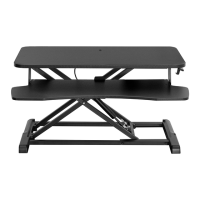

 To Next Page
 General