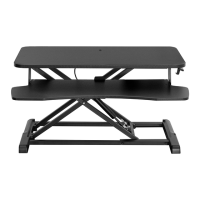
This document is an instruction manual for the VIVO Electric Sit-Stand Workstation, SKU: STAND-SIT2E. It provides detailed assembly steps, operating instructions, and safety warnings for the product.
Function Description:
The VIVO Electric Sit-Stand Workstation is designed to allow users to easily switch between sitting and standing positions while working. It features an electric motor that adjusts the height of the workstation, promoting a healthier and more ergonomic work environment. The workstation includes a pole, base, decorative cover, arm, and tray, along with hardware for mounting monitors. It supports both flat-back and curved/recessed-back monitors, offering versatility for various display types.
Important Technical Specifications:
- Weight Capacity: Do not exceed 44 lbs (19.96 kg). Exceeding this limit may result in serious injury.
- Monitor Compatibility: Supports VESA plates for mounting monitors.
- Power: The product is powered by electricity.
- Overheat Protection: If the motor operates continuously for a long period, overheat protection will activate, and the control panel will resume normal operation after approximately 20 minutes.
- Overload Protection: If the load on the desk exceeds rated specifications, the system will enter overload protection mode. The workstation will move downward approximately 30mm and stop, displaying the current height.
- Tilt Adjustment: Monitors can be tilted within a range of approximately +/- 45 degrees.
Usage Features:
- Sit-Stand Functionality: Electric motor allows for easy height adjustment between sitting and standing positions.
- Monitor Mounting: The workstation includes an arm with VESA plates for mounting one or two monitors.
- Cable Management: The design allows for the power cord to be inserted at the base of the pole, contributing to a tidy workspace.
- Easy Assembly: The manual provides clear, step-by-step instructions with diagrams for assembly, requiring a Phillips screwdriver and the included Allen wrenches.
- Monitor Compatibility Options:
- Flat Back Monitors: Attach VESA plates using 12mm screws (M-A or M-B) with washers (M-E).
- Curved or Recessed Back Monitors: Use 16mm screws (M-C or M-D) with washers (M-E) and spacers (M-F).
- Adjustable Monitor Tilt: Monitors can be tilted as desired for optimal viewing angles.
- Reset Mode: To reset the workstation, press and hold the down arrow until it reaches the fully lowered position, then release after it raises approximately 5mm and automatically stops.
- Upward and Downward Movement: Press and hold the up or down arrow on the control panel to adjust the workstation's height.
Maintenance Features:
- Safety Warnings: The manual emphasizes critical safety instructions, including tipover warnings and electrical safety guidelines.
- Part Inspection: Users are advised to check for missing or defective parts before installation and to contact the seller for replacements if needed.
- Electrical Safety:
- Do not clean the product while power is connected.
- Do not disassemble or replace components while power is connected.
- Do not operate the system with a damaged cord or plug; contact the seller for replacements.
- Do not operate the system in damp environments or if electrical components have contacted liquids.
- Alterations to the power unit are not allowed.
- Outdoor use is prohibited.
- Customer Support: VIVO provides contact information for customer support via email (help@vivo-us.com), phone (1-800-371-5654), and their website (www.vivo-us.com) for assistance with damaged or defective parts, or for more product information.
- Online Resources: A QR code and URL are provided for accessing helpful videos and specifications related to the product.

 Need help?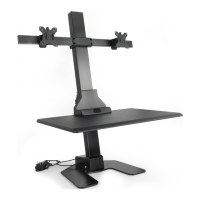

 To Next Page
 General