28
Delete the Records
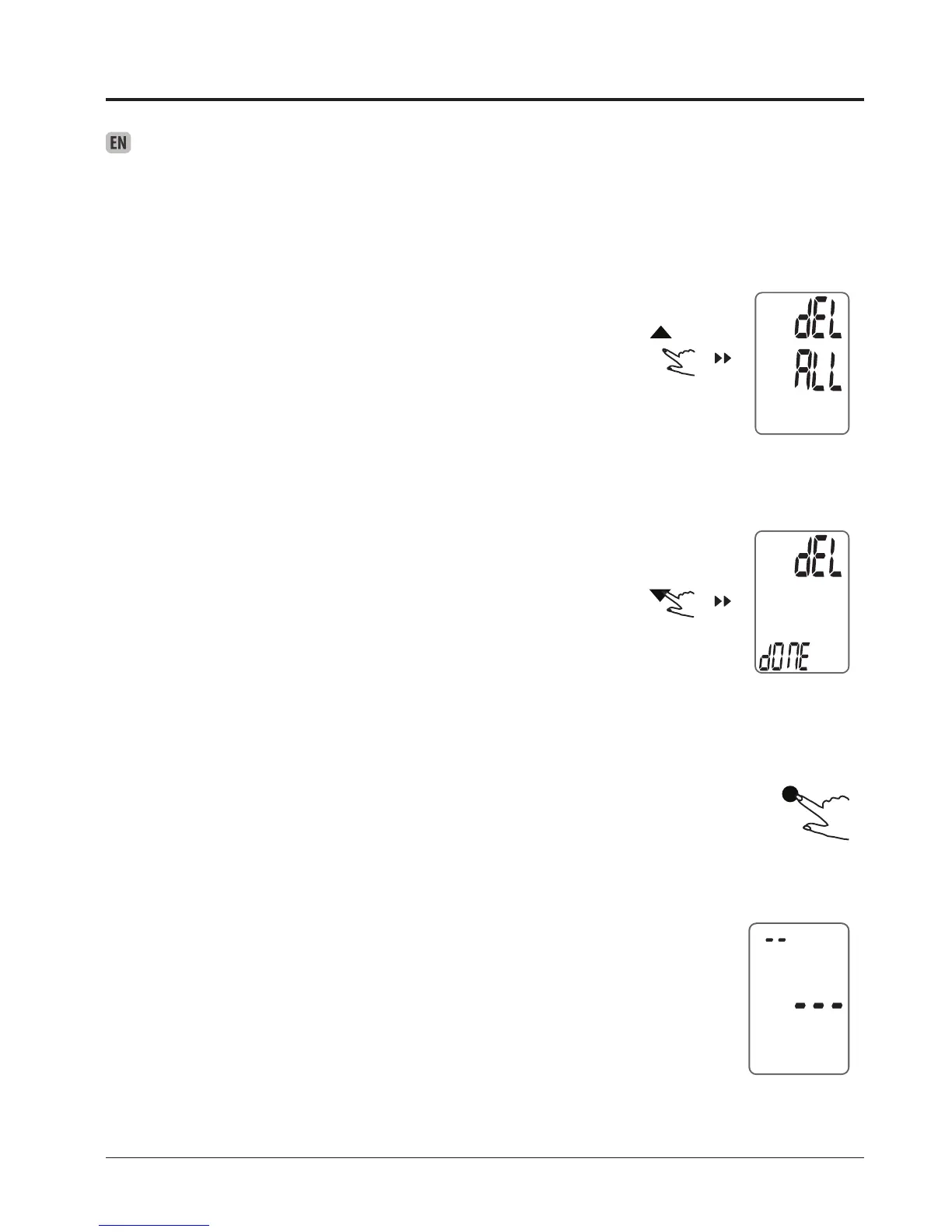
When you did not obtain the accurate measurement, you can clear all the
measuring results by following below steps.
1. When the monitor is off, press and hold both the “MEM” button for 3 seconds
2. When the LCD display blinking “dEL ALL”, press “SET” button to conrm
clearing. The LCD will display “dEL dONE”, indicating that memory clearing is
complete.
3. If you wish to give up clearing, press the START/STOP button to turn off the
monitor.
4. When there is no memory in the monitor, if you press the “MEM” button to look
up history, the LCD will display as pictured to the right.



 To Next Page