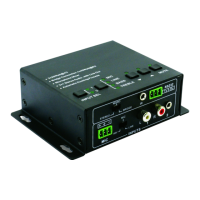
Mini Digital Amplifier
showing the same mono audio.
The connection is:
2.2. Microphone input
The microphone input of VL120004 has three modes, and different modes use
different connections, as the picture below:
2.2.1. 48V phantom power input
When the switch turns to “48V”, the MIC input will provide a 48V phantom power. This
is usually used for power supply for condenser microphone, Connection is:
“+” connects to positive, “-” connects to negative and “╧” to ground.
Note: In this mode, only condenser microphone can be connected with.
2.2.2. MIC input
When the switch turns to “MIC”, the microphone input is used for connecting with
dynamic microphone. There are two different connections:
1) Unbalanced connection:
“╧” connects to ground, and “-” connects to signal.
“╧” connects to ground, and “+” connects to signal.
2) Balanced connection: “+” connects to positive, “-” connects to negative and “╧”
connects to ground.
2.2.3. LINE input
When the switch turns to “LINE”, the microphone input is used for connecting with
normal audio or wireless microphone output. There are two different connections:
1) Unbalanced connection:
“╧” connects to ground, and “-” connects to signal.
“╧” connects to ground, and “+” connects to signal.
Connecting the four pins, like this


 To Next Page
 Loading...