VIVOTEK
124 - User's Manual
Network storage:
Select to send the media les to a networked storage when a trigger is activated. Please refer to NAS
server on page 138 for details. Note that only one NAS server can be congured.
Click Save server to enable the settings.
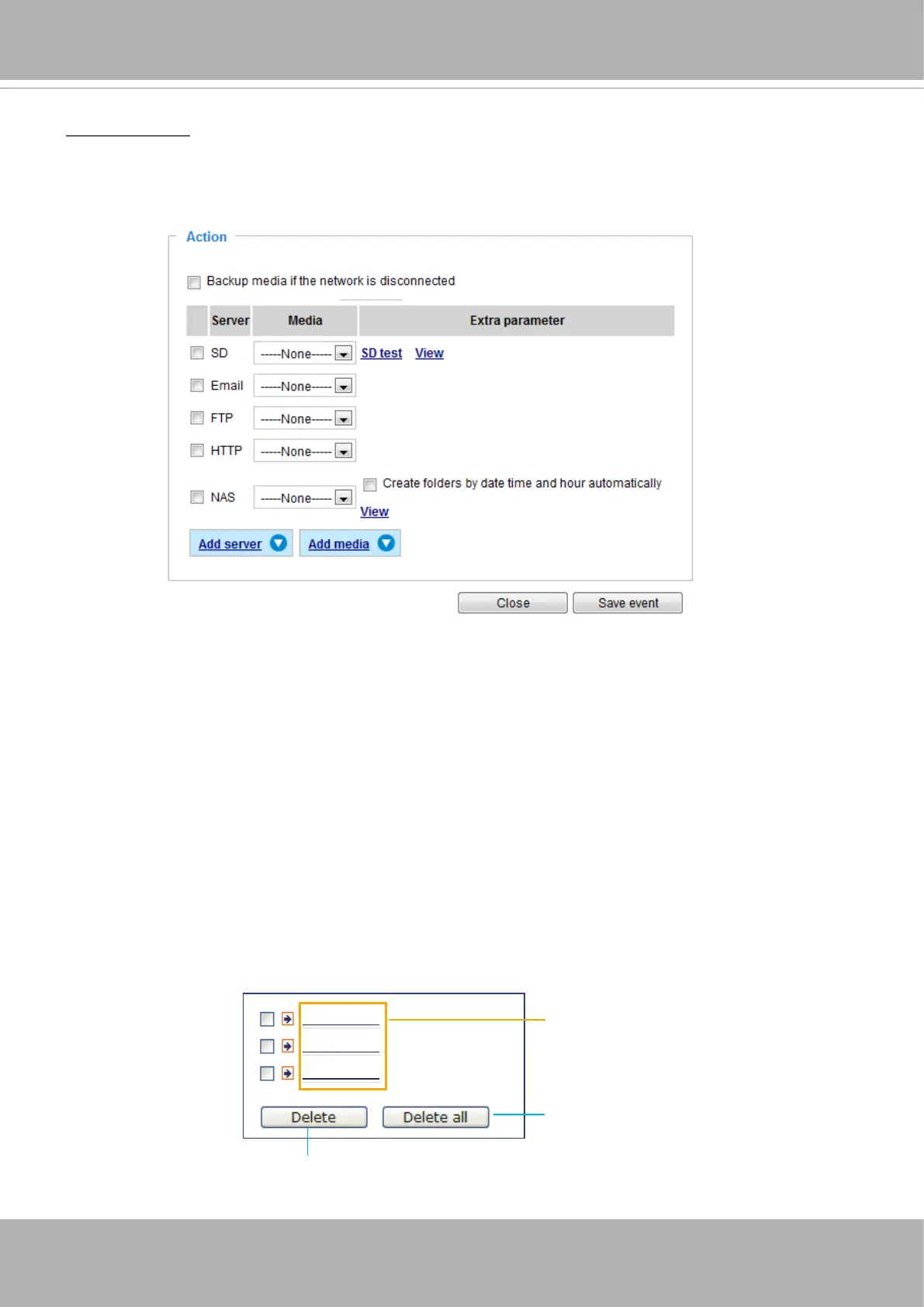
■ SD Test: Click to test your SD card. The system will display a message indicating the result as a
success or a failure. If you want to use your SD card for local storage, please format it before use.
Please refer to page 121 for detailed information.
■ View: Click this button to open a le list window. This function applies only to SD card and networked
storage. If you click the View button for an SD card, a Local storage page will prompt so that you can
manage the recorded les on qn SD card. For more information about Local storage, please refer to
page 140. If you click the View button for a Network storage, a le directory window will prompt for you
to view recorded data on Network storage. For detailed illustration, please refer to the next page.
■ Create folders by date, time, and hour automatically: If you select this item, the system will
automatically create folders by the date when video footages are stored onto the networked storage.
The following is an example of a le destination with video clips:
20170120
20170121
20170122
Click to delete selected items
Click to delete all recorded data
The format is: YYYYMMDD
Click to open the directory














 To Next Page