VIVOTEK
54 - User's Manual
Day/Night Settings
Switch to B/W in night mode
Select this to enable the Network Camera to automatically switch to Black/White during night
mode.
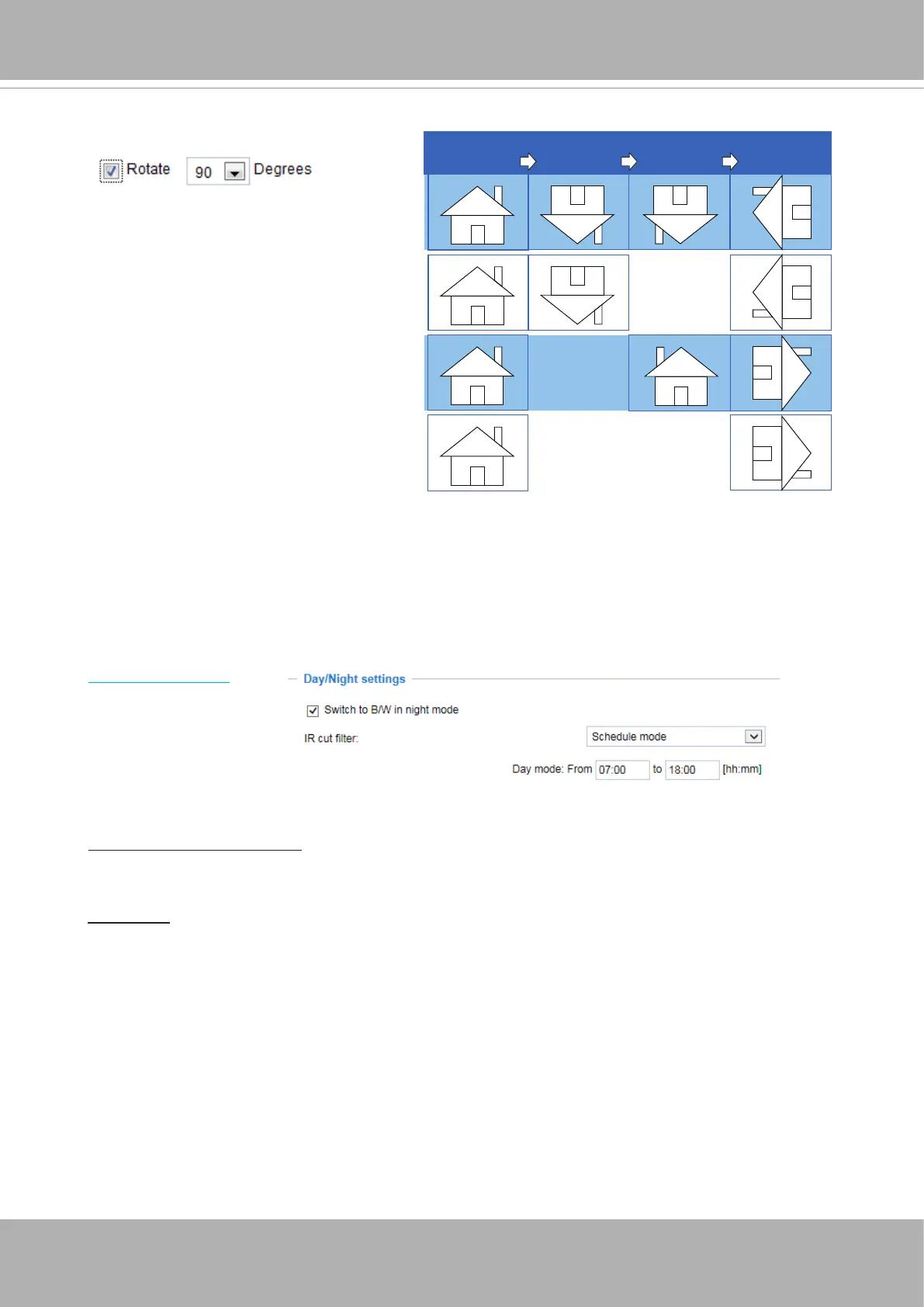
Rotate -
MirrorNormal Flip Rotate 90°
clockwise
The camera may be installed on a vertical, side-facing, or tilted surface in order to accommodate
the interior or exterior design of a building. The interior of a building can be shaped as a narrow
rectangular space, such as corridor. The conventional HD image, such as that of a 16:9 aspect
ratio, will be incongruous with its wide horizontal view. With video rotation, the camera can more
readily cover the eld of view on a tall and narrow scene.
The rotation here indicates clockwise
rotation. Rotation can be applied with
flip, mirror, and physical lens rotation
(see below) settings to adapt to different
mounting locations.
The gures in the illustration are shown in
a consecutive order.
IR cut lter
With a removable IR-cut lter, this Network Camera can automatically remove the lter to let IR
light enter the light sensor during low light conditions.
■ Auto mode
The Network Camera automatically removes the lter by judging the level of ambient light.
■ Day mode
In day mode, the Network Camera switches on the IR cut lter at all times to block infrared light
from reaching the sensor so that the colors will not be distorted.
■ Night mode
In night mode, the Network Camera switches off the IR cut lter at all times for the sensor to
accept infrared light, thus helping to improve low light sensitivity.














 To Next Page