VIVOTEK
User's Manual - 61
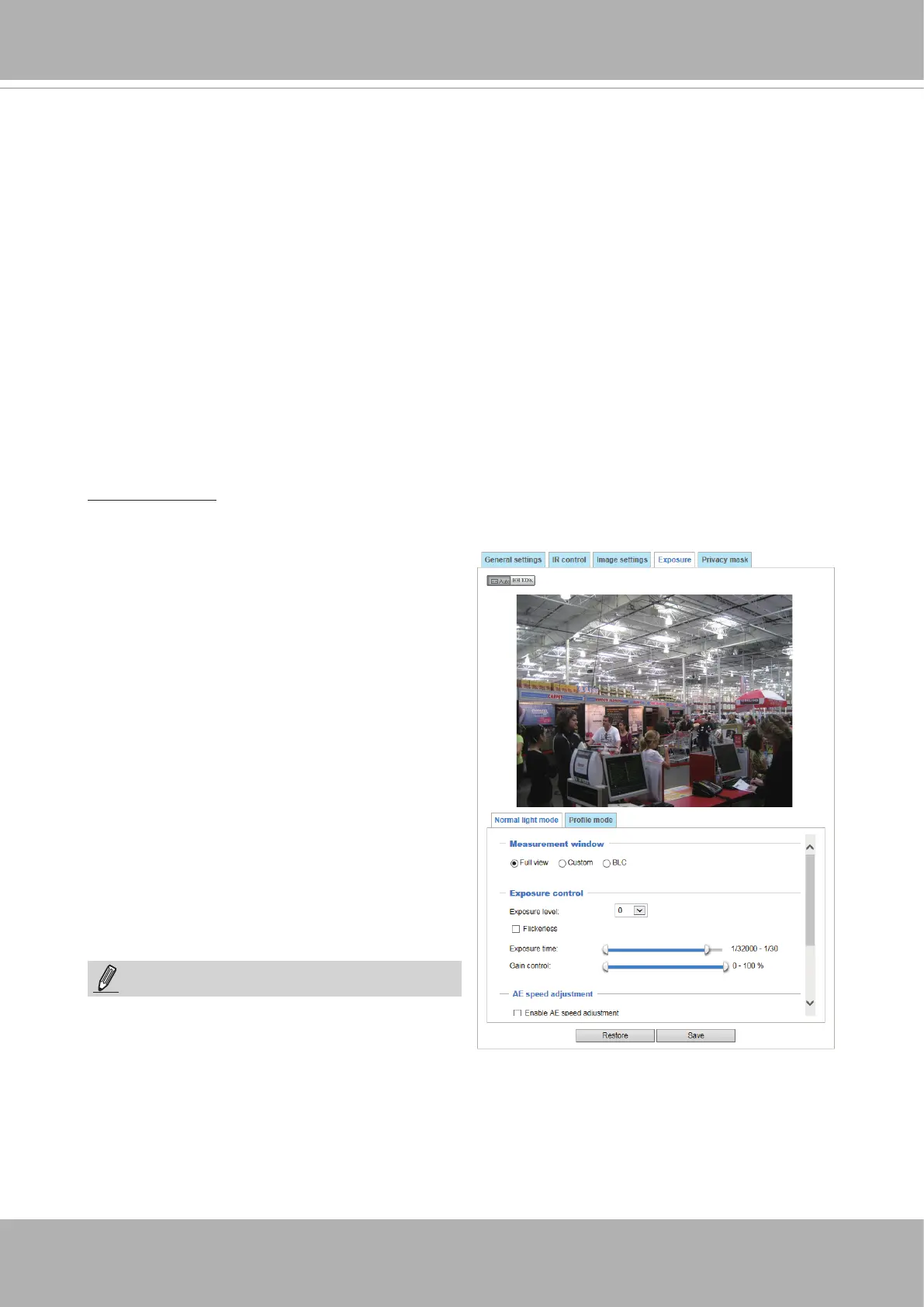
- Flickerless:
Fixed iris models can encounter image rolling band issues when
operating under incongrous
power line frequency with uorescent lights. To solve the problem, the Flickerless mode can limit
the exposure time to 1/120 ~ 1/5 second. For the Auto iris models, when the exposure time is
limited to 1/120 ~1/5 second, iris size is automatically adjusted, and that the image brightness
is appropriately adjusted. Although the chance is rare, for Fixed iris models, when the exposure
time is limited to 1/120 ~ 1/5 second, they may encounter image over-exposure. If the Flickerless
option is selected, and users discover over-exposure from the live view, they can disable the
Flickerless option.
The Prole mode is not available when the IR cut
lter is congured in the Auto mode.
Please follow the steps below to set up a prole:
1. Select the Prole mode tab.
2. Select the applicable mode: Night mode or
Schedule mode. Please manually enter a
range of time if you choose Schedule mode.
3. Configure Exposure control settings in the
folowing columns. Please refer to previous
dicussions for detailed information.
4. Click Save to enable the setting and click
Close to exit the page.
You can click Restore to recall the original settings without incorporating the changes. When
completed with the settings on this page, click Save to enable the settings.
If you want to congure another sensor setting for day/night/schedule mode, please click Prole to
open the Prole of exposure settings page as shown below.
Activated period:
Select the mode this profile to apply to: Day mode, Night mode, or Schedule
mode. Please manually enter a range of time if you choose Schedule mode. Then click Save for the
conguration to take effect.
Auto: If you set Exposure mode as Auto, the Exposure time and Gain control will not be
congurable since the sensor library will automatically adjust the value according to the ambient
light. Then you can congure iris mode as “indoor” or “outdoor” to reach the best image quality.
Note that when the WDR Pro function is enabled,
the Measurement window is not congurable.
NOTE:
■
AE Speed Adjustment:
This function (Automatic Exposure) applies when you need to monitor fast changing lighting
conditions. For example, the camera may need to monitor a highway lane or entrance of a
parking area at night where cars passing by with their lights on can bring fast changes in light
levels. The same applies if the camera is installed on a vehicle, and when it needs to adapt to
fast changes of light when entering and leaving a tunnel. The speed level and sensitivity can be
manually adjusted.














 To Next Page