VIVOTEK
User's Manual - 9
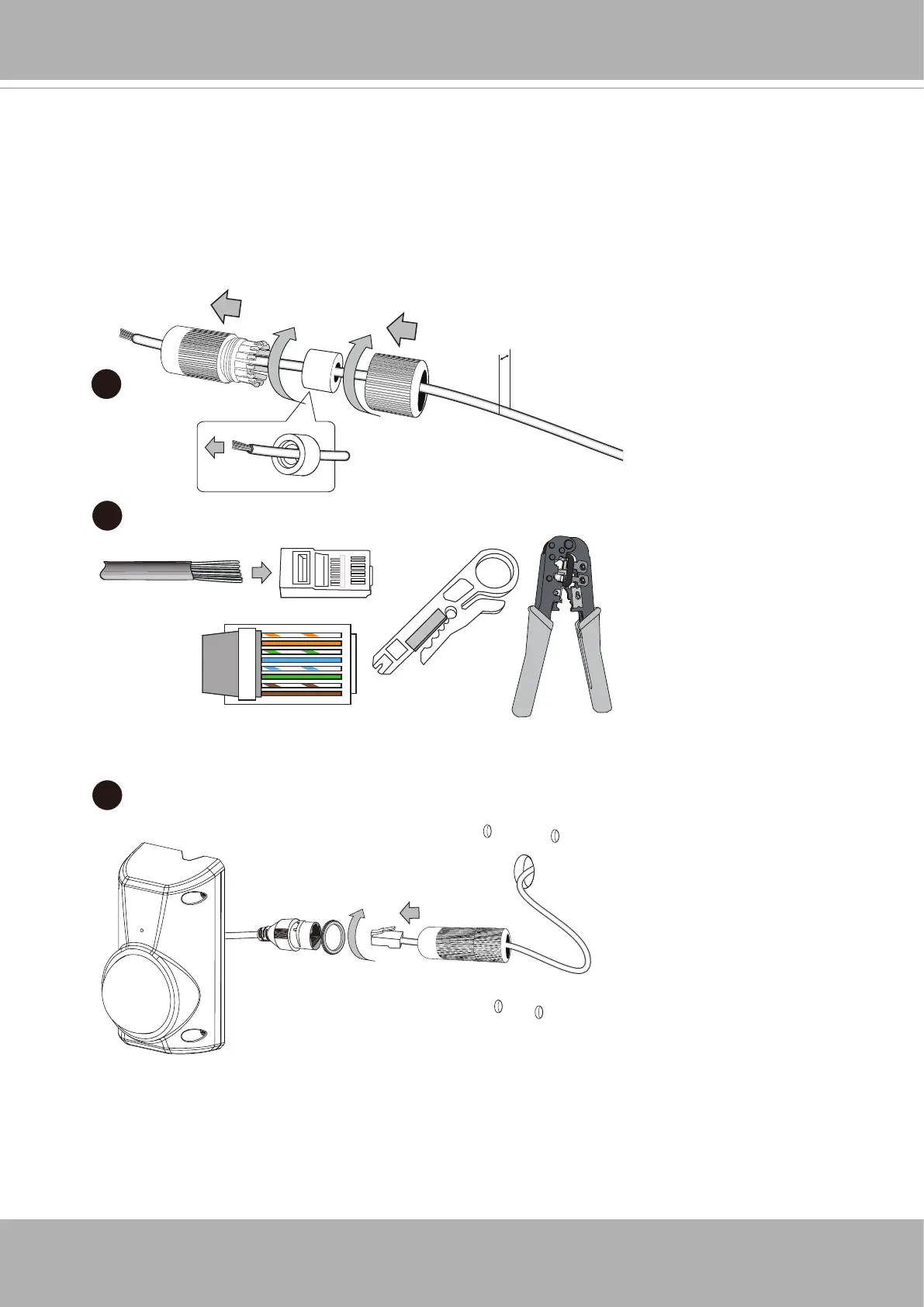
5. Install the waterproof connector.
5-1. Insert an Ethernet cable through the cable gland, and the rubber seal.
5-2. Remove part of cable sheath. You will need an RJ45 crimping tool to attach the
Ethernet wires to a connector.
5-3. Connect the RJ45 connector and tighten the waterprorf connector with a rubber seal
within.
o
O
g
B
b
G
br
BR
1
2
3
4
5
6
7
8
o: white/orange stripe
O: orange solid
g: white/green stripe
B: blue solid
b: white/blue stripe
G: green solid
br: white/brown stripe
BR: brown solid
5 ~ 6.1mm
5-1
5-2
5-3














 To Next Page