VIVOTEK
User's Manual - 9
Cable hole
P/N : 621055300G
Drill hole ( camera )
) tekcarb nwod tliT ( eloh llirD
Drill hole(camera)
Lens
CAT5
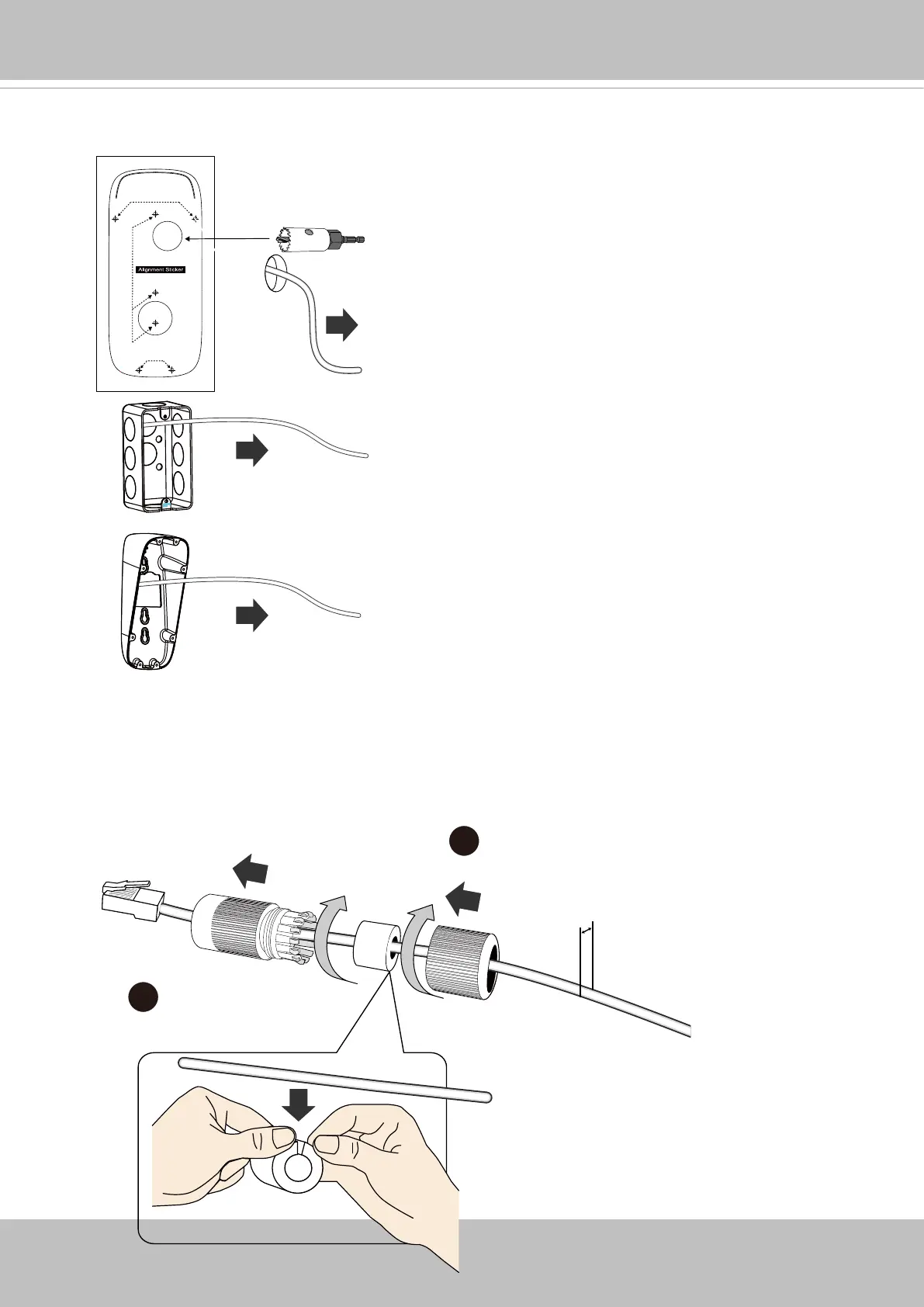
2. Attach the alignment sticker to a preferred location. Drill a cabling hole and the pilot
holes for the mounting screws. Route cables through the routing hole.
5.5 ~ 6.4mm
3-1
3-2
3. When connecting the Ethernet cable, use the cable housing to make sure the
connections are waterproof.
3-1. Pass an Ethernet cable through the seal dome, rubber seal, and the cable gland
body.
3-2. Properly install and fasten the components of the cable gland.














 To Next Page