VIVOTEK
32 - User's Manual
Main Page
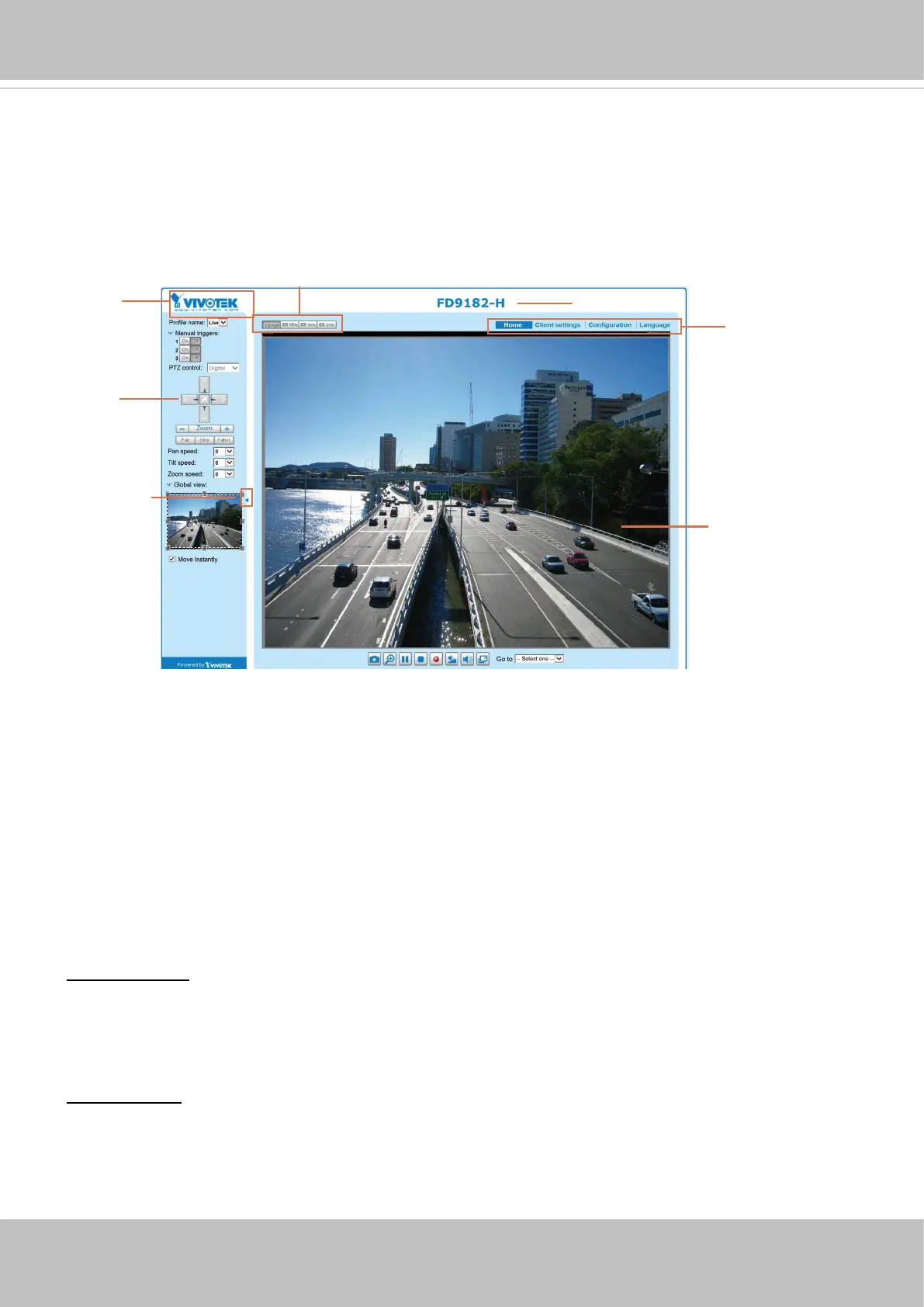
This chapter explains the layout of the main page. It is composed of the following sections:
VIVOTEK INC. Logo, Host Name, Camera Control Area, Configuration Area, Menu, and Live
Video Window.
VIVOTEK INC. Logo
Click this logo to visit the VIVOTEK website.
Host Name
The host name can be customized to t your needs. The name can be changed especially there are many
cameras in your surveillance deployment. For more information, please refer to System on page 43.
Camera Control Area
VIVOTEK INC.
Logo
Live View Window
Camera Control
Area
Configuration
Area
Host Name
Resize Buttons
Hide Button
Profile mode:
4 pre-configured streaming profiles are provided through here: Max. view, Recording
view, Live view, and App. Each mode features a dierent stream source (channel), resolution, multicast,
and metadata conguration.
The proles can be congured in Conguration > Media > Media proles.
Manual Trigger: Click to enable/disable an event trigger manually. Please congure an event setting on
the Application page before you enable this function. A total of 3 event conguration can be congured.
For more information about event setting, please refer to page 116. If you want to hide this item on
the homepage, please go to Configuration> System > Homepage Layout > General settings >
Customized button to deselect the “show manual trigger button” checkbox.





 To Next Page