
 Need help?
Do you have a question about the Vivotek FD9367-HTV and is the answer not in the manual?
Guidance on creating a strong password meeting specific character requirements.
Instructions for connecting the camera to a PoE-enabled switch via an Ethernet cable.
Explains how to access the network camera through web browsers.
Describes the digital (e-PTZ) pan/tilt/zoom control functionality.
Guides on assigning actions to joystick buttons through a configuration window.
Configuration for sending system logs to a remote server for backup.
Instructions for upgrading the network camera's firmware.
Restores system parameters to default values, with options to retain specific settings.
Wide Dynamic Range function to capture details in high contrast environments.
Explains the automated focus adjustment function for cameras with motorized lenses.
Steps to configure privacy mask windows, including adding, naming, and enabling the function.
Configures stream settings for frame sizes ranging from 384x216 to 1920x1080 pixels.
Configures audio settings, including Mute, Microphone source, and Audio type.
Configures wired network connection type: LAN or PPPoE.
Utilizes HTTP authentication, requiring a password and providing security settings like basic and digest.
Utilizes RTSP streaming authentication, requiring a password for video stream control.
Explains how to enable password protection and create multiple user accounts.
Explains methods to create and install an SSL certificate for secure HTTPS communication.
Controls access permission by verifying client PC's IP address, setting concurrent streaming limits.
Controls e-PTZ operation for moving focus to a target area within the field of view.
Configures network camera response to events like motion detection or digital input.
Enables motion detection and configures sensitivity and object size for detection windows.
Sets up tamper detection for incidents like redirection, blocking, or defocusing, including threshold and duration.
Provides syntax for controlling ePTZ camera functions like move, zoom, and focus.
Performs real-time event subscription, notification, and camera control efficiently using HTTP tunnels.
Specifies search criteria for recorded data, including label, trigger type, media type, destination path, resolution, and lock status.
Controls remote focus function, allowing adjustment of zoom, focus, and iris via GET/POST requests.
Provides syntax for controlling camera functions like move, focus, zoom, and speeds.
 General
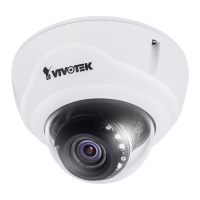
| Focal Length | 2.8 ~ 12 mm |
|---|---|
| Shutter Time | 1/5 sec. to 1/32, 000 sec. |
| IR Illuminators | Built-in |
| IR Range | 30 m |
| Video Compression | H.265, H.264, MJPEG |
| Audio Compression | G.711, G.726 |
| Audio Input | Built-in Microphone |
| On-board Storage | microSD/SDHC/SDXC card slot |
| Operating Temperature | -30°C ~ 50°C (-22°F ~ 122°F) |
| Weather Resistance | IP66 |
| Vandal Resistance | IK10 |
| Image Sensor | 1/2.8" CMOS |
| Maximum Resolution | 1920x1080 |
| Aperture | F1.4 |
| Day/Night | Yes |
| Maximum Frame Rate | 30 fps |
| Ethernet | 10/100 Base-TX |
| Protocols | IPv4, IPv6, HTTP, HTTPS, FTP, SMTP, SNMP, DHCP, NTP, DNS, DDNS, PPPoE, 802.1X, QoS |
| Power Supply | IEEE 802.3af PoE Class 0 |
| Power Consumption | Max. 6.5W |













 To Next Page
