
 Need help?
Do you have a question about the Vivotek FD9369 and is the answer not in the manual?
Important information and warnings to review before installing and using the network camera.
Lists all the items included in the product package.
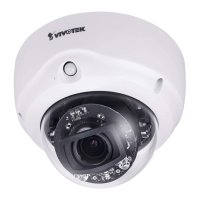
Details the camera's physical components and external views.
Guides through the physical setup and mounting procedures for the camera.
Explains how to install necessary software utilities for camera setup.
Details the process of setting up initial user credentials for security.
Covers connecting the camera to the network via PoE or non-PoE switches.
Describes methods to access the camera via web browsers, RTSP, and other clients.
Explains network configuration for internet access and port forwarding.
Describes the main user interface layout and its components.
Covers stream transmission modes and local saving options.
Explains basic system settings like host name and system time configuration.
Details image, video, and audio configuration options for the camera.
Covers wired network connection, IP settings, and network types.
Details user account management, HTTPS, access lists, and 802.1X authentication.
Explains Pan/Tilt/Zoom operations and ePTZ controls.
Covers configuring the camera to respond to specific situations and triggers.
Details the setup and use of the Smart Motion Detection utility.
Guides on configuring adaptive recording, sources, schedules, and capacity.
Covers managing local SD card storage and network attached storage (NAS).
Provides syntax and examples for controlling the camera via HTTP-based API.
 General
| Type | IP security camera |
|---|---|
| Certification | CE, FCC, ICES-003, RCM, VCCI, Safety, UL, CB, IA, BIS, IK10, IP66 |
| Placement supported | Indoor & outdoor |
| Connectivity technology | Wired |
| Wide Dynamic Range (WDR) | Yes |
| Wi-Fi | - |
| Number of users | 10 user(s) |
| Streaming method | Multicast |
| Networking standards | IEEE 802.3af |
| Ethernet interface type | Fast Ethernet |
| Supported network protocols | 802.1X, ARP, Bonjour, CIFS/SMB, DDNS, DHCP, DNS, FTP, HTTP, HTTPS, ICMP, IGMPv3, IPv4, IPv6, NTP, PPPoE, QoS (CoS/DSCP), RTSP/RTP/RTCP, SMTP, SNMP, SSL, TCP/IP, TLS 1.2, UDP, UPnP |
| Flash memory | 256 MB |
| Compatible memory cards | SD, SDHC, SDXC |
| Ethernet LAN (RJ-45) ports | 1 |
| Sensor type | CMOS |
| Optical sensor size | 1/3.1 \ |
| DC output voltage | 12 |
| Power source type | DC, PoE |
| Power consumption (max) | 6.49 W |
| Power consumption (typical) | 4 W |
| IK code | IK10 |
| Form factor | Dome |
| Mounting type | Ceiling |
| Product color | Black, White |
| LED indicators | Power, Status |
| International Protection (IP) code | IP66 |
| Pan range | 0 - 350 ° |
| Tilt angle range | -10 - 75 ° |
| Camera shutter speed | 1/5 - 1/32000 s |
| Minimum illumination | 0.08 lx |
| Operating temperature (T-T) | -30 - 50 °C |
| Operating relative humidity (H-H) | 0 - 95 % |
| Audio system | 1-way |
| Audio formats supported | G.711, G.726 |
| Signal-to-Noise Ratio (SNR) | 59 dB |
| Bit rate control | Constant Bit Rate (CBR) |
| Total megapixels | 2 MP |
| Maximum resolution | 1920 x 1080 pixels |
| Video formats supported | H.264, H.265, M-JPEG |
| Image quality adjustment | Brightness, Saturation, Sharpness |
| LED type | IR |
| Night vision distance | 30 m |
| Windows operating systems supported | Windows 10, Windows 7, Windows 8 |
| Digital zoom | 18 x |
| Focal length range | 2.8 mm |
 Weight and Dimensions
| Weight | 465 g |
|---|---|
| Diameter | 110 mm |













 To Next Page
