VIVOTEK
146 - User's Manual
Applications > Motion detection
The camera comes with a Smart Motion Detection utility as its pre-loaded VCA package. Please
refer to its User Guide for more information:
http://download.vivotek.com/downloadfile/solutions/vadp/smart-motion-detection-manual_
en.pdf.
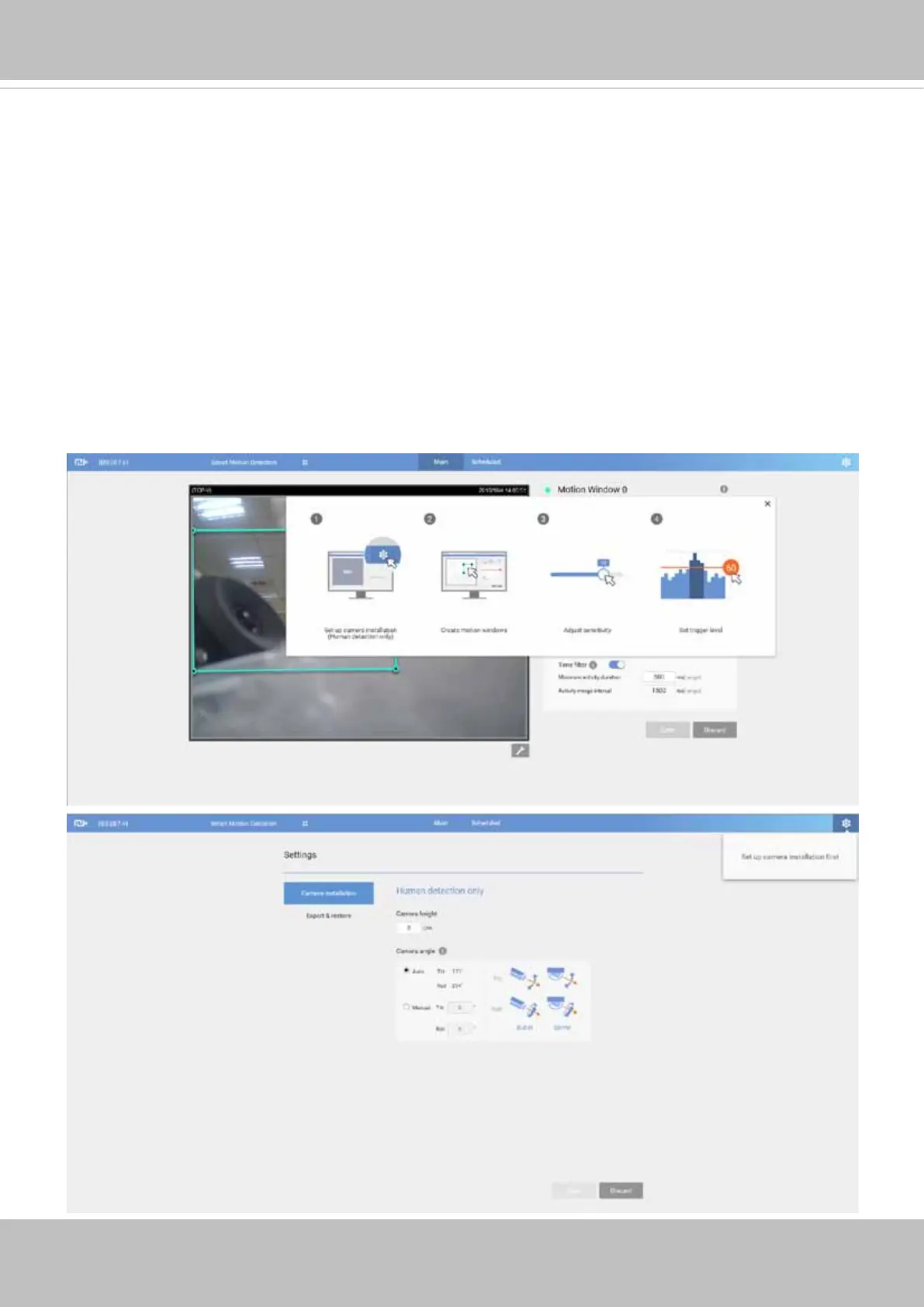
Click on Configuration > Applications > Motion detection. The Smart Motion utility will be
automatically started.
If Human detection is applied, make sure you measured the installation height of your camera. It is
important for a correct video analysis. You should enter the installation height in the Motion detection
Settings page.





 To Next Page