VIVOTEK
User's Manual - 57
IR control
Turn on built-in IR illuminator in night mode
Select this to turn on the camera’s onboard IR illuminator when the camera detects low light
condition and enters the night mode.
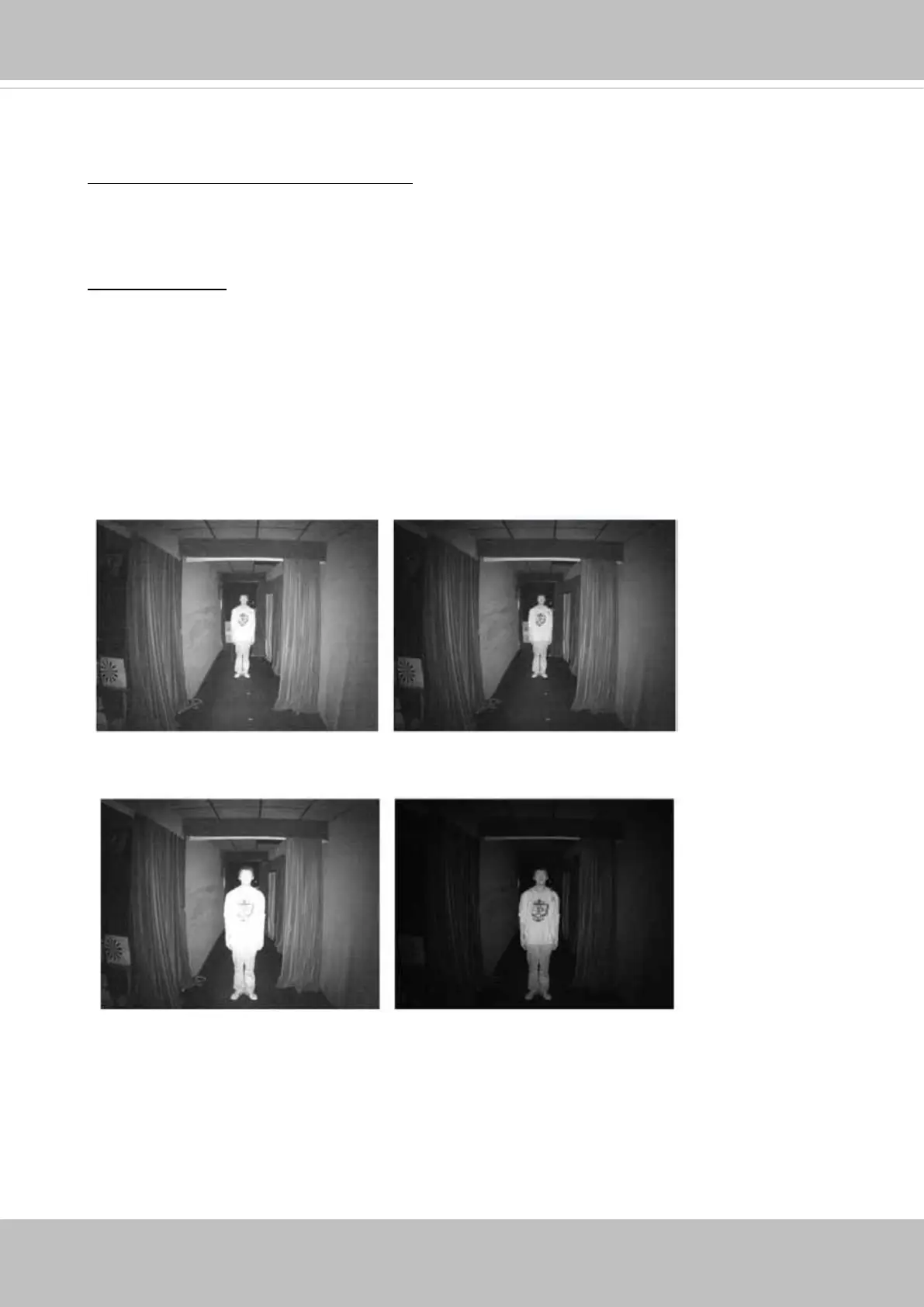
Smart IR disabled; distance: 5M
Smart IR enabled; distance: 5M
Smart IR disabled; distance: 3M
Smart IR enabled; distance: 3M
The Smart IR function is more benecial when the spot of intrusions or an object of your interest
is close to the lens and the IR lights. For example, if an intruder has a chance of getting near the
range of 3 meters, Smart IR can effectively reduce the over-exposure. For a surveillance area at a
greater distance, e.g., 5 meters or farther away, the Smart IR function may not bring as signicant
benets as in close range.
Anti-overexposure: When enabled, the camera automatically adjusts the IR projection to adjacent
objects in order to avoid over-exposure in the night mode.














 To Next Page