19
English
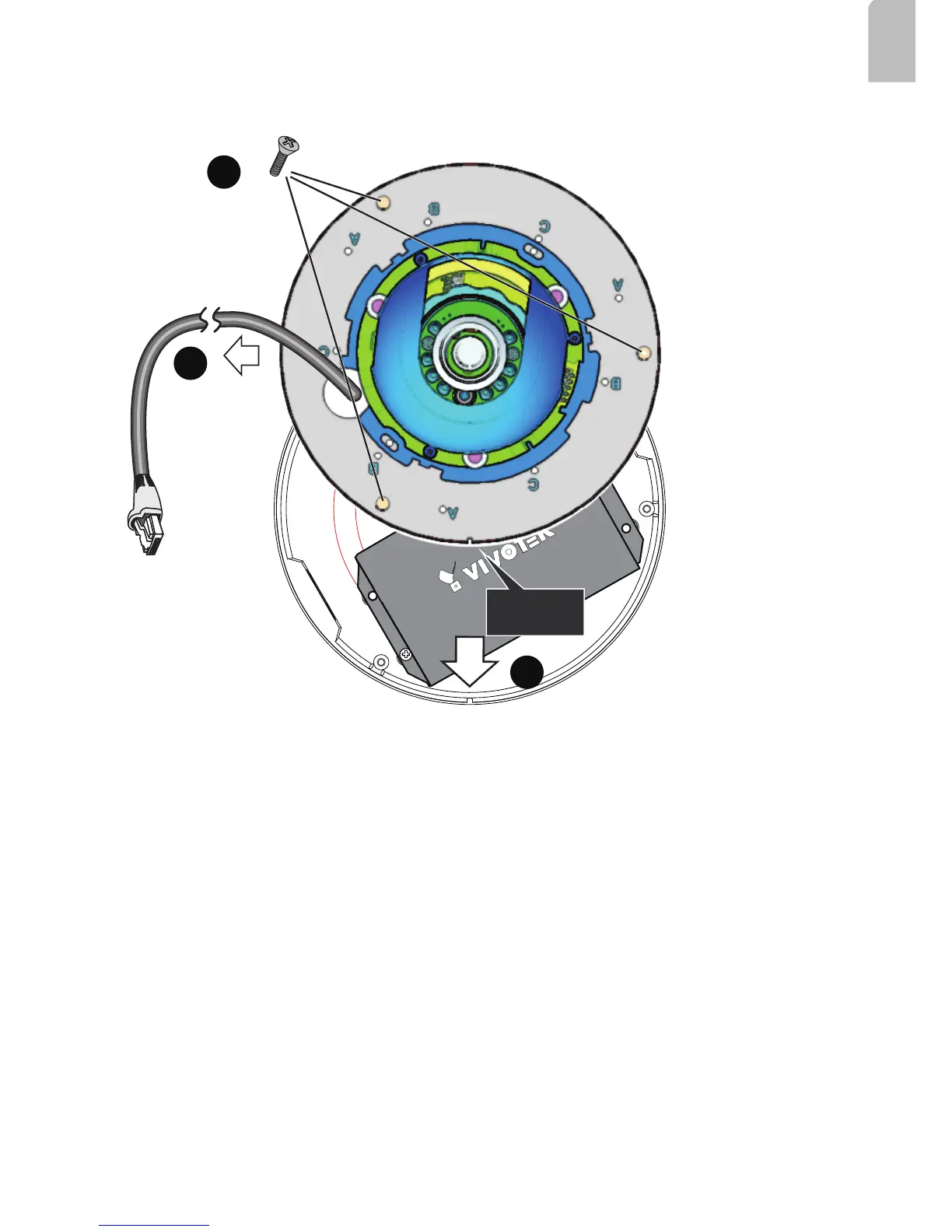
5. Pull the Ethernet cable (and/or I/O wires) through the cabling hole on the base plate.
6. Orient the alignment notch with the tab on the conduit box.
7. Secure the base plate along with the camera to the conduit box.
Alignment
Notch
5
7
6
To Camera LAN port
8. Install the camera's dome cover.
9. Proceed with initial setup such as enabling network access, focus tuning, or zooming.



 To Next Page